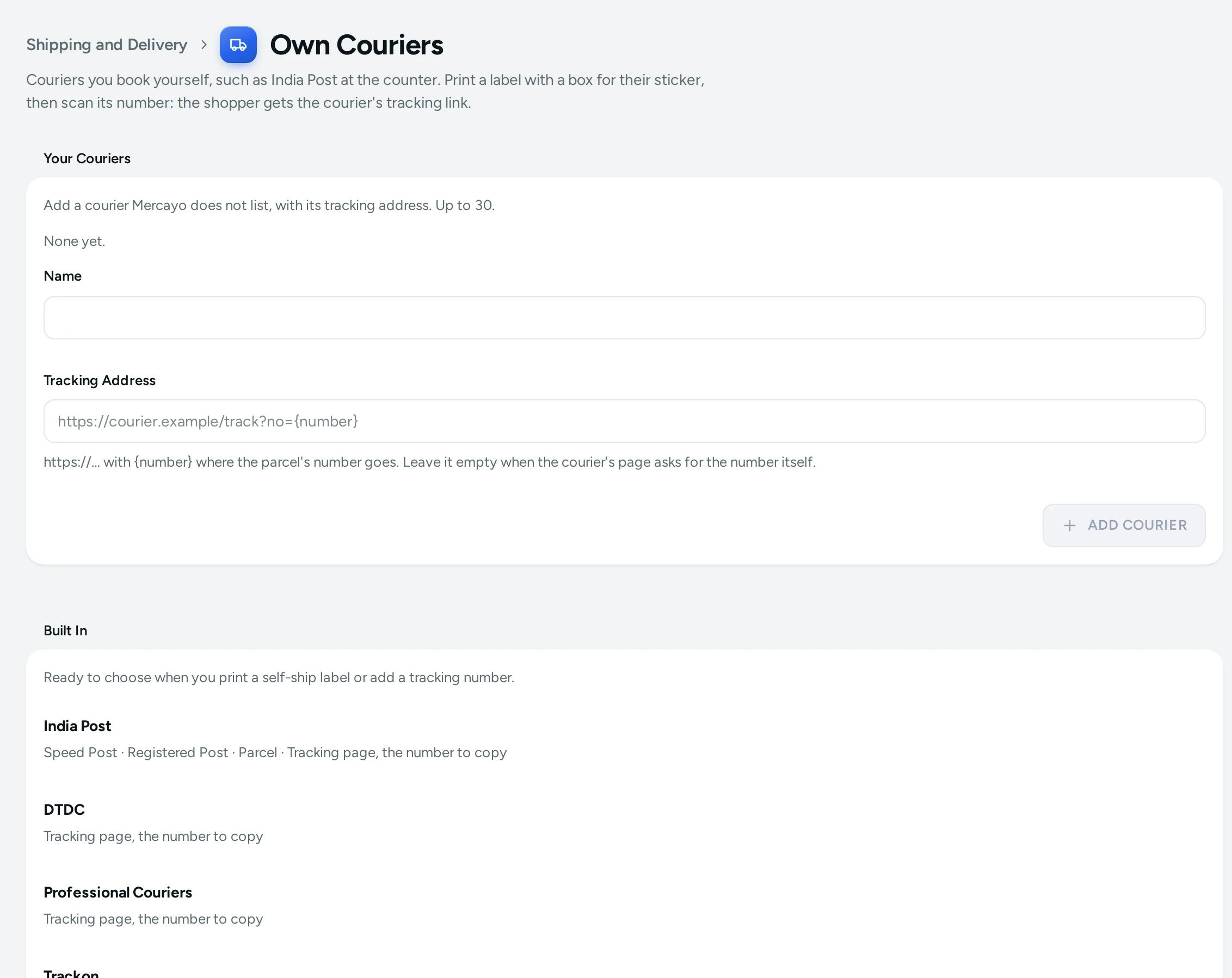
Own Couriers lists the couriers you book a parcel with yourself, at their counter or by phone, without a connected courier account: India Post and the counter couriers. Each has its tracking page, so when you add a parcel's number, the shopper gets the right link. Open it from Settings › Shipping and Delivery › Own Couriers. Anyone who can see settings can open it; adding, changing or deleting a courier needs the right to change settings.
Built In
Ready to choose when you print a self-ship label or add a tracking number:
| Courier | Services | Tracking |
|---|---|---|
| India Post | Speed Post, Registered Post, Parcel | Tracking page, the number to copy |
| DTDC | Tracking page, the number to copy | |
| Professional Couriers | Tracking page, the number to copy | |
| Trackon | Tracking page, the number to copy | |
| ST Courier | Tracking page, the number to copy | |
| Shree Maruti | Tracking page, the number to copy | |
| Gati | Tracking page, the number to copy |
These couriers' tracking pages ask for the number on the page itself (India Post's has a picture code to type), so the shopper gets a link to the page and the number with a COPY button. Mercayo never makes up a tracking link from a number. Couriers Mercayo adds for every store show Added by Mercayo.
Your Couriers
Add a courier Mercayo does not list, up to 30:
- Type its Name, for example "Mahavir Couriers". A name can be used once in your store.
- In Tracking Address, paste the courier's tracking page, starting with https://. If the page takes the parcel's number in its address, put
{number}where the number goes, for examplehttps://courier.example/track?no={number}: the shopper's link then opens their parcel directly. Leave it empty when the courier's page asks for the number itself. - Press ADD COURIER.
EDIT and DELETE change or remove one of your couriers later.
Where You Use Them
- SELF-SHIP LABEL on an order's page, or PRINT SELF-SHIP LABELS for a selection on the Orders list: your label in your look and size, with a COURIER STICKER HERE box in place of the AWB, for the courier and service you choose. A cash parcel reads COD / VPP · COLLECT ₹….
- COUNTER BOOKING LIST: an A4 list to hand over at the counter with the parcels, with a column for each article number.
- ADD TRACKING NUMBER (one order) or ADD TRACKING NUMBERS (a selection, one after another): scan the courier's sticker with CAMERA or a barcode scanner, or type it.
- REPRINT LABEL on the parcel card once its number is saved: the same label with the number as a barcode in the sticker box.
Step by step: Ship with India Post.
Good to Know
- An India Post number is checked against its international format (two letters, nine digits, two letters, the ninth digit a check digit): a number that does not add up warns, and is saved only with SAVE ANYWAY.
- Mercayo gets no live updates from own couriers. The parcel card says so; press MARK DELIVERED on the order when the parcel arrives.
- An order whose parcel is already booked through Shiprocket or Shipway is left out of self-ship labels; the message says how many.
- Saving tracking numbers can be switched off in Settings › Checkout and COD › Order Tools (Tracking for parcels you ship yourself, on to start with).
- Your couriers are your store's alone; no other store sees them.