Your store always works at its free Mercayo address, and you can connect a domain you own, like yourbrand.in, so shoppers find you there. "Your store's web addresses. Connect a domain you own, like yourbrand.in, so shoppers find you there." Open Settings › Domains (or CONNECT DOMAIN in the setup guide). For a step-by-step walk-through with a domain provider, see Connect Your Own Domain.
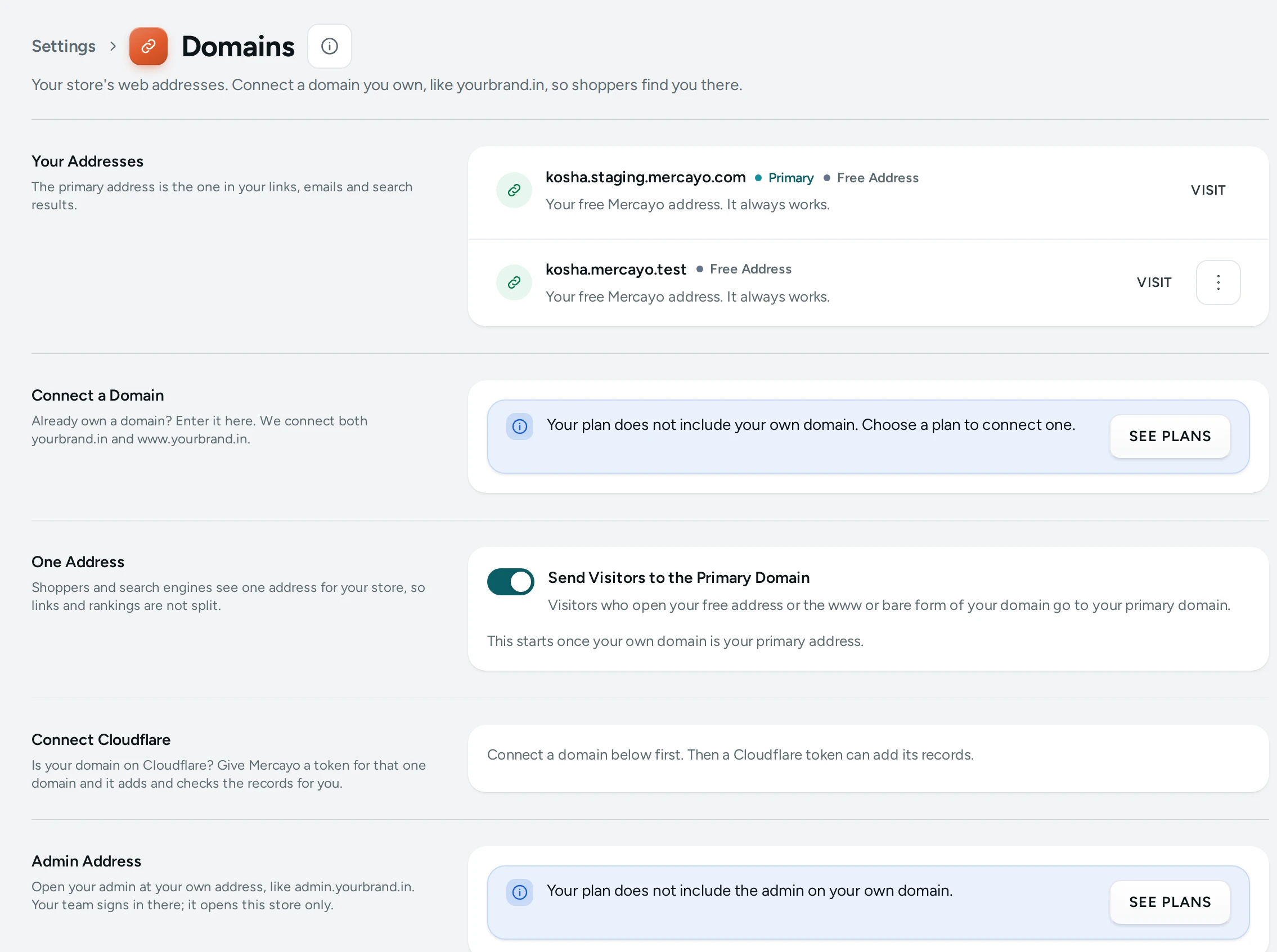
Your Addresses
"The primary address is the one in your links, emails and search results." Each address shows its state:
| State | Meaning |
|---|---|
| Free Address | "Your free Mercayo address. It always works." It can never be removed. |
| Waiting for DNS | "Add its records at your domain provider. We check every few minutes." |
| Getting Certificate | "The records are right. Its secure certificate is on its way, usually within minutes." |
| Connected | "Secure and working." |
| DNS Changed | "This address no longer points to Mercayo. Fix its records, or it stops opening your store after 3 days." |
| Not Working | "This address does not reach your store. Check its records, then check again." |
Each shows when it was last Checked, and its menu has Check Now, Make Primary and Remove Domain. VISIT opens it.
Connect a Domain
- Under Connect a Domain, type the Domain: "The name you bought, without https:// or a page. A subdomain like shop.yourbrand.in works too."
- Press CONNECT DOMAIN. "We connect both yourbrand.in and www.yourbrand.in." A subdomain is one address.
- The Set Up card lists the Records to Add: each with its Type, Name, Value (with copy buttons) and why it is needed:
- a TXT record that "Shows the domain is yours",
- and the records that "Send … to your store" (a CNAME, or A/AAAA records for the bare domain).
- "Sign in where you bought the domain (GoDaddy, Hostinger, BigRock, Cloudflare or another) and open its DNS settings. Add each record below. Changes usually show within minutes and can take up to a day."
- Each record's Status turns from Not Found Yet to Found. Press CHECK NOW to check at once.
Once the records are right, Mercayo gets a free secure (HTTPS) certificate for the domain by itself and renews it. You do not buy or upload a certificate.
The TXT record is needed once: after the domain is verified you may delete it.
The Primary Address
The primary address is used in your store's links, emails to shoppers and search results. When your first own domain is connected, it becomes primary by itself (once); you can change it with Make Primary ("… is now your primary address."). Only a Connected domain can be primary. If the primary domain stops working or is removed, the free address becomes primary again at once.
One Address
Send Visitors to the Primary Domain (on by default): "Visitors who open your free address or the www or bare form of your domain go to your primary domain." "Shoppers and search engines see one address for your store, so links and rankings are not split." It starts once your own domain is your primary address. Turn it off and each address opens your store by itself.
Remove a Domain
Remove Domain asks "Remove yourbrand.in?": "Shoppers who open … will no longer reach your store. If it is your primary address, your free address becomes primary again." Press REMOVE DOMAIN, or KEEP IT.
Plan Limits
| Plan | Own Domains |
|---|---|
| Starter | 1 |
| Growth | 1 |
| Scale | 5 |
"… of … domains used on your plan." When all are used: "Your plan allows … domains and all are in use. Remove one, or choose a bigger plan." A domain counts once even though it connects two addresses (with and without www). If Mercayo turns off own domains for your store, the screen says so.
Good to Know
- A domain can be connected to one Mercayo store only.
- A domain still waiting for its records after 7 days is marked Not Working; fix the records and press CHECK NOW.
- Your store's sitemap and the links search engines read always use the primary address.
Questions
How long does it take?
Usually minutes after you add the records; DNS changes can take up to a day. The certificate follows within minutes once the records are right.
Do I need to buy an SSL certificate?
No. Mercayo gets and renews it for you, free.
Can I keep my email on the same domain?
Yes. Only change the records Mercayo lists; leave your MX (email) records as they are.
Why does my domain show Not Working?
Each cause and its fix are in Domain Not Connecting.