"Product reviews with photos, when to ask for one, and questions from shoppers." Settings › Reviews and Questions sets how reviews and questions work on your store. You approve each review and answer each question in Reviews and Questions.
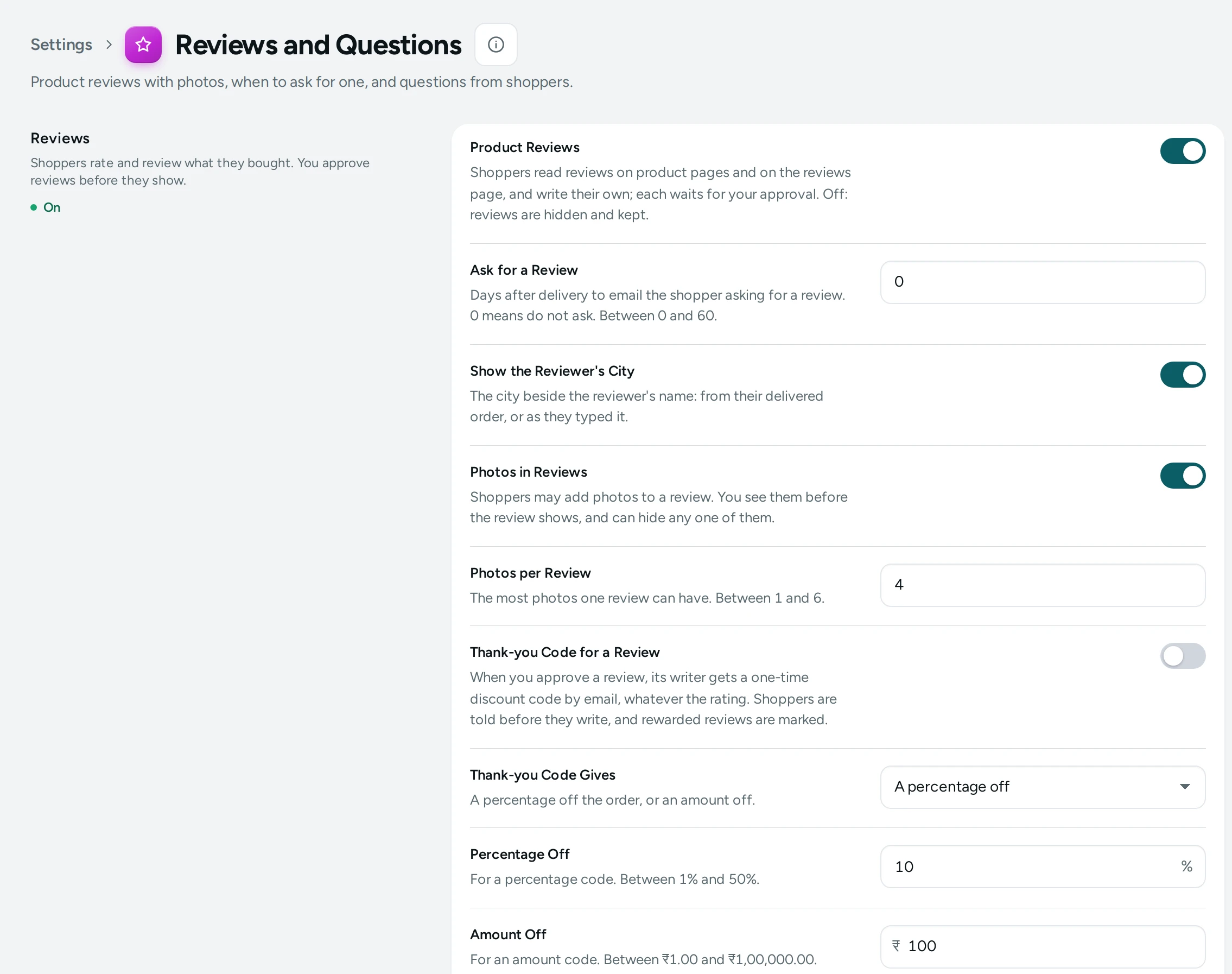
The Settings
Reviews
Shoppers rate and review what they bought. You approve reviews before they show.
| Setting | What It Does | Default |
|---|---|---|
| Product Reviews | Shoppers read reviews on product pages and on the reviews page, and write their own; each waits for your approval. Off: reviews are hidden and kept. | On |
| Ask for a Review | Days after delivery to email the shopper asking for a review. 0 means do not ask. (0 to 60) | 0 |
| Show the Reviewer's City | The city beside the reviewer's name: from their delivered order, or as they typed it. | On |
| Photos in Reviews | Shoppers may add photos to a review. You see them before the review shows, and can hide any one of them. | On |
| Photos per Review | The most photos one review can have. (1 to 6) | 4 |
Questions and Answers
Shoppers ask questions on product pages; your answers help the next shopper.
| Setting | What It Does | Default |
|---|---|---|
| Questions and Answers | Shoppers ask questions on product pages and you answer them there. | On |
| New Questions | Wait for you: a question shows once you publish it. Show at once: it shows straight away, marked as waiting for an answer, and you can hide it. Choices: Wait for me, Show at once. | Wait for me |
Good Choices
- Ask for a Review: 0 (the default) sends no request. 5 to 10 days is a good choice: enough to use the product, soon enough to remember it. The request goes by email after delivery.
- Photos in Reviews on, with up to 4 photos: real photos sell. You see every photo before the review shows and can hide any one.
- New Questions: Wait for me keeps off-topic questions off your pages; Show at once suits a store that answers quickly.
What Shoppers See
With reviews on, product pages show the star rating and approved reviews, and shoppers can write one (with photos when allowed). With Show the Reviewer's City on, the city appears beside the name. With questions on, a product page has a way to ask a question and shows published questions with your answers. Turning reviews off hides them and keeps them.
How This Page Works
Settings pages share one way of working (see Settings Home):
- Each card groups the settings of one feature, with a line saying what it is for. Its main switch turns the whole feature on or off.
- Change what you need; a save bar appears with SAVE. "Settings saved." Nothing changes on your store until you save.
- USE DEFAULT puts a setting you changed back to Mercayo's default.
- A setting Set by Mercayo for your store shows Locked (with Mercayo's reason when given) and cannot be changed here; "Mercayo allows … for your store." shows a range Mercayo has set.
- If a teammate saved the page after you opened it: "Someone else saved these settings after you opened the page, so yours were not saved. Reload to see theirs."
- Anyone who can see settings can look ("You can see these settings. Changing them needs the settings right."); saving needs the right to change settings.
Questions
Does turning reviews off delete them?
No. "Off: reviews are hidden and kept."
Where does the review request email come from?
From your store, like its order emails. Its words can be changed in Localization.