"How shoppers sign in, and how your customer list groups them." Settings › Shopper Accounts sets how shoppers make an account on your store and sign in (always without a password, with a code or Google), and the rules that sort your customers into segments.
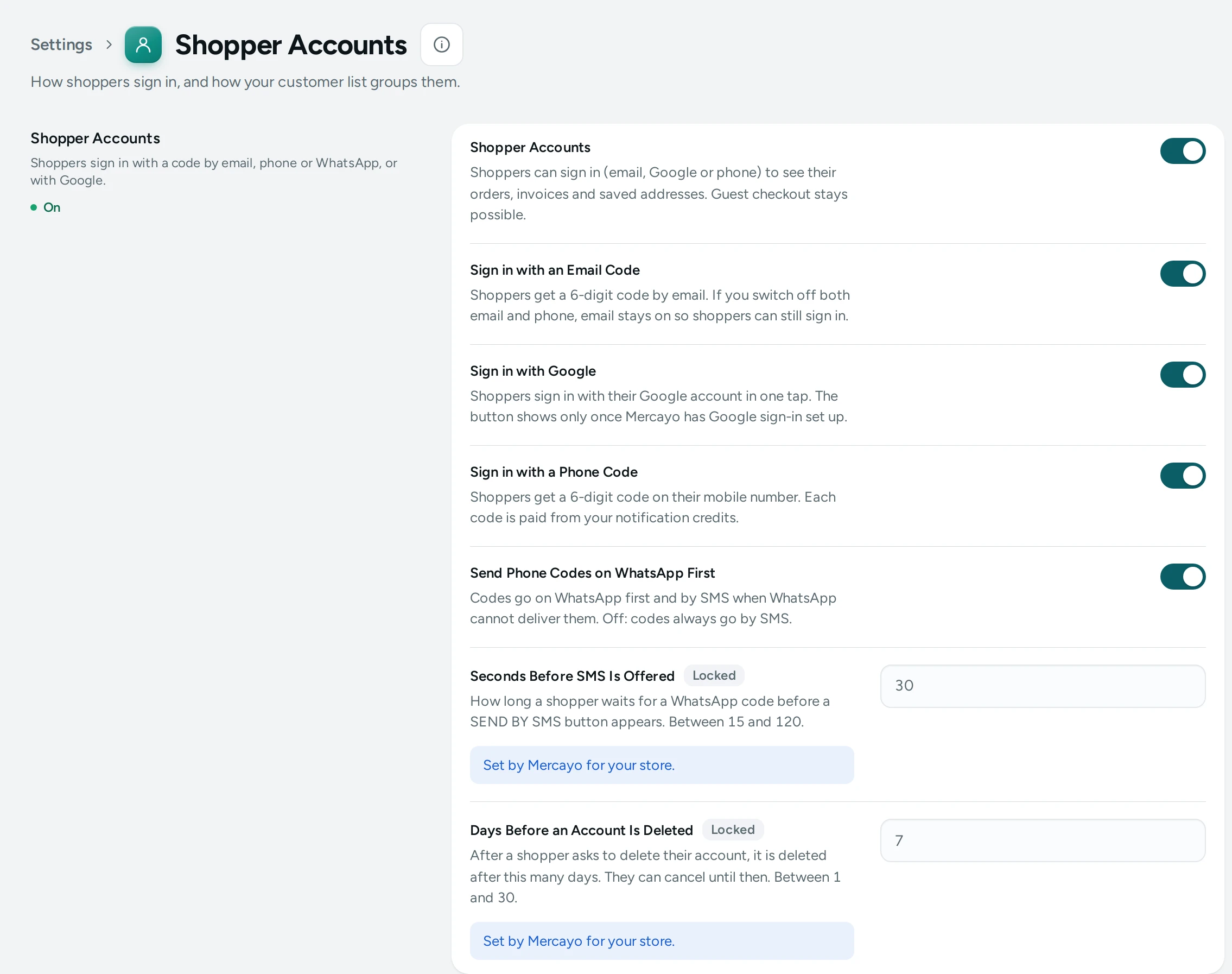
The Settings
Shopper Accounts
Shoppers sign in with a code by email, phone or WhatsApp, or with Google.
| Setting | What It Does | Default |
|---|---|---|
| Shopper Accounts | Shoppers can sign in (email, Google or phone) to see their orders, invoices and saved addresses. Guest checkout stays possible. | On |
| Sign in with an Email Code | Shoppers get a 6-digit code by email. If you switch off both email and phone, email stays on so shoppers can still sign in. | On |
| Sign in with Google | Shoppers sign in with their Google account in one tap. The button shows only once Mercayo has Google sign-in set up. | On |
| Sign in with a Phone Code | Shoppers get a 6-digit code on their mobile number. Each code is paid from your notification credits. | On |
| Send Phone Codes on WhatsApp First | Codes go on WhatsApp first and by SMS when WhatsApp cannot deliver them. Off: codes always go by SMS. | On |
Customer Segments
When your customer list calls someone new, a VIP or at risk.
| Setting | What It Does | Default |
|---|---|---|
| New Customers: First Order Within (days) | A customer is new when their first order was placed within this many days. (1 to 365) | 30 |
| VIP: Spent at Least | A customer is a VIP once their orders (confirmed to delivered, never cancelled or returned) add up to this. (₹1 to ₹10,00,000) | ₹5,000 |
| At Risk: No Order for (days) | A customer who ordered twice or more is at risk when their last order is older than this. (7 to 730) | 60 |
| RTO-prone: Parcels Returned | A customer is RTO-prone when at least this share of their orders came back to you undelivered. (1% to 100%) | 30% |
How Shoppers Sign In
With accounts on, shoppers can sign in to see their orders, invoices, saved addresses, wishlist, store credit and rewards. Guest checkout always stays possible.
- Sign in with an Email Code: a 6-digit code by email. It cannot be switched off together with the phone code: "If you switch off both email and phone, email stays on so shoppers can still sign in."
- Sign in with a Phone Code: a 6-digit code on their mobile number, on WhatsApp first and by SMS when WhatsApp cannot deliver it (Send Phone Codes on WhatsApp First). "Each code is paid from your notification credits." See Notification Credits.
- Sign in with Google: one tap with their Google account; the button shows once Mercayo has Google sign-in set up.
Customer Segments
These four numbers decide the segments on the Customers list: New (first order within 30 days), VIP (₹5,000 or more), At Risk (no order for 60 days after ordering twice or more) and RTO-Prone (30% or more of orders came back undelivered). Set them to fit your prices: a jewellery brand's VIP threshold might be ₹50,000; a phone-case brand's ₹3,000.
How This Page Works
Settings pages share one way of working (see Settings Home):
- Each card groups the settings of one feature, with a line saying what it is for. Its main switch turns the whole feature on or off.
- Change what you need; a save bar appears with SAVE. "Settings saved." Nothing changes on your store until you save.
- USE DEFAULT puts a setting you changed back to Mercayo's default.
- A setting Set by Mercayo for your store shows Locked (with Mercayo's reason when given) and cannot be changed here; "Mercayo allows … for your store." shows a range Mercayo has set.
- If a teammate saved the page after you opened it: "Someone else saved these settings after you opened the page, so yours were not saved. Reload to see theirs."
- Anyone who can see settings can look ("You can see these settings. Changing them needs the settings right."); saving needs the right to change settings.
Questions
Can shoppers sign in with a password?
No. Shoppers sign in with a code or with Google, so there is no password to forget or steal.
Why did phone sign-in stop working?
Phone codes are paid from your notification credits once your plan's bundle is used. Check your Wallet.