"When to remind a shopper about the items in their bag, and on which channel." Many shoppers reach checkout, type their phone or email, and leave. Settings › Bag Reminders sends them up to three friendly reminders with a link straight back to their bag. It is off for a new store.
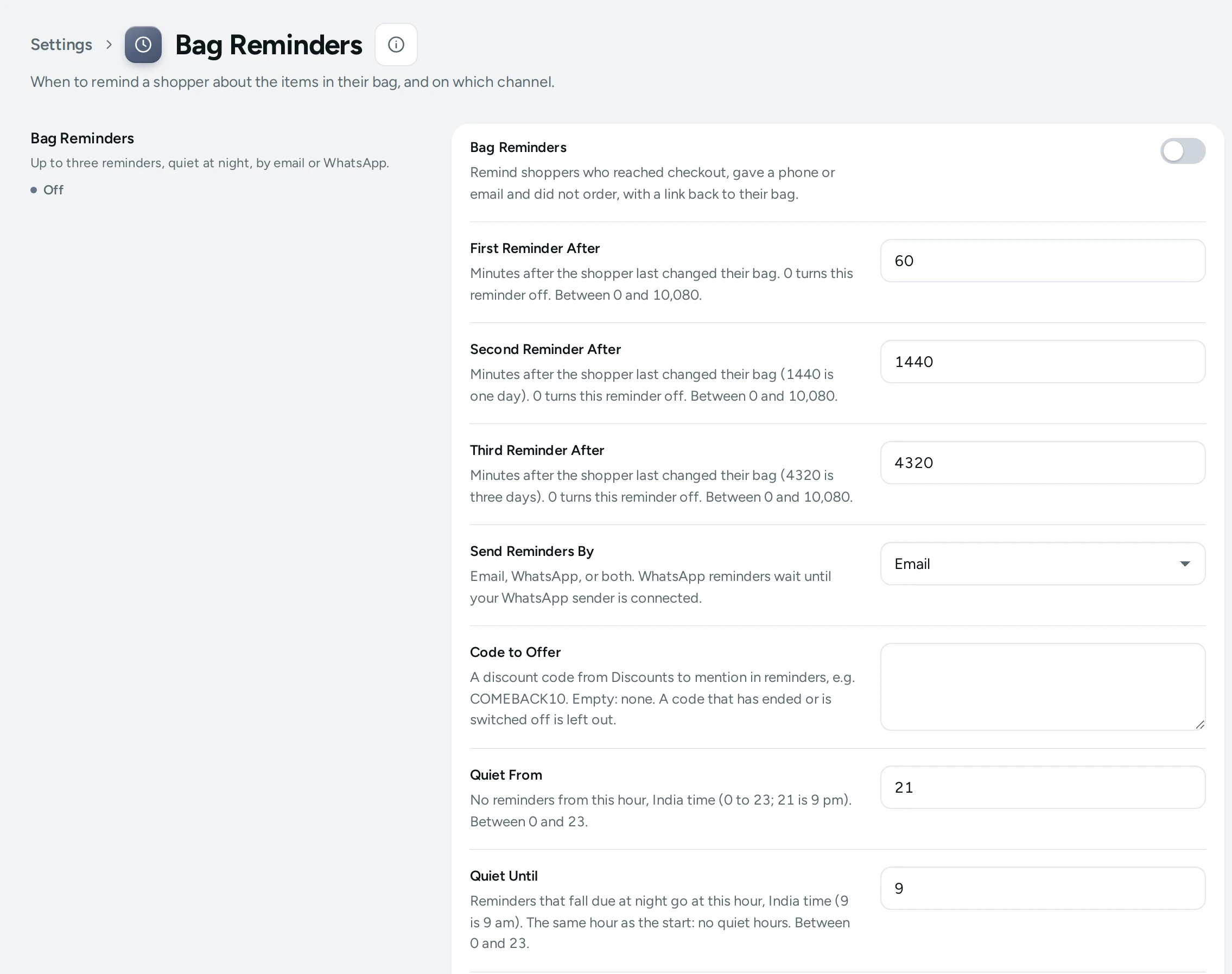
The Settings
Bag Reminders
Up to three reminders, quiet at night, by email or WhatsApp.
| Setting | What It Does | Default |
|---|---|---|
| Bag Reminders | Remind shoppers who reached checkout, gave a phone or email and did not order, with a link back to their bag. | Off |
| First Reminder After | Minutes after the shopper last changed their bag. 0 turns this reminder off. (0 to 10080) | 60 |
| Second Reminder After | Minutes after the shopper last changed their bag (1440 is one day). 0 turns this reminder off. (0 to 10080) | 1440 |
| Third Reminder After | Minutes after the shopper last changed their bag (4320 is three days). 0 turns this reminder off. (0 to 10080) | 4320 |
| Send Reminders By | Email, WhatsApp, or both. WhatsApp reminders go only to shoppers who said yes to WhatsApp, and need WhatsApp Marketing (included on Growth and Scale, an add-on on Starter). Choices: Email, Whatsapp, Both. | |
| Code to Offer | A discount code from Discounts to mention in reminders, e.g. COMEBACK10. Empty: none. A code that has ended or is switched off is left out. | Empty |
| Quiet From | No reminders from this hour, India time (0 to 23; 21 is 9 pm). (0 to 23) | 21 |
| Quiet Until | Reminders that fall due at night go at this hour, India time (9 is 9 am). The same hour as the start: no quiet hours. (0 to 23) | 9 |
| A Bag Counts as Abandoned After | Minutes after the shopper reached checkout without ordering. Used by the Abandoned Bags list. (15 to 1440) | 60 |
| Count an Order as Recovered Within | Days after the shopper reached checkout. A later order from the same bag, phone or email counts as recovered. (1 to 30) | 7 |
Who Gets a Reminder
Only shoppers who reached checkout, gave a phone or email, and did not order. The reminder links back to their own bag. Once they order (from the bag, or with the same phone or email), no more reminders go.
The Timing
The three reminders count from when the shopper last changed their bag: by default after 1 hour, 1 day (1,440 minutes) and 3 days (4,320 minutes). Set a reminder to 0 to skip it. Reminders never go between Quiet From and Quiet Until (9 pm to 9 am India time by default): one that falls due at night goes at 9 am.
The Channel and the Code
Send Reminders By: Email, Whatsapp, or Both. WhatsApp reminders go only to shoppers who said yes to WhatsApp, and need WhatsApp Marketing (included on Growth and Scale, an add-on on Starter) (see WhatsApp). Reminders count as marketing messages: they are never part of your plan's included messages, and each one is paid from your notification credits.
Code to Offer mentions a discount code, for example COMEBACK10, made in Discounts. A code that has ended or is switched off is left out automatically.
Counting
A Bag Counts as Abandoned After (60 minutes) decides when a bag joins the Abandoned Bags list. Count an Order as Recovered Within (7 days): a later order from the same bag, phone or email counts as recovered on that screen.
How This Page Works
Settings pages share one way of working (see Settings Home):
- Each card groups the settings of one feature, with a line saying what it is for. Its main switch turns the whole feature on or off.
- Change what you need; a save bar appears with SAVE. "Settings saved." Nothing changes on your store until you save.
- USE DEFAULT puts a setting you changed back to Mercayo's default.
- A setting Set by Mercayo for your store shows Locked (with Mercayo's reason when given) and cannot be changed here; "Mercayo allows … for your store." shows a range Mercayo has set.
- If a teammate saved the page after you opened it: "Someone else saved these settings after you opened the page, so yours were not saved. Reload to see theirs."
- Anyone who can see settings can look ("You can see these settings. Changing them needs the settings right."); saving needs the right to change settings.
Questions
Do reminders go to people who did not agree to marketing?
A reminder about their own bag is about a purchase they started, not an offer. Keep the wording about their bag; be careful with codes and offers.
Can I see which reminders were sent?
Yes: each abandoned bag on Abandoned Bags shows its reminders and whether it was recovered.