"Your home dashboard, the bell, visit counts and sign-ups." Settings › Admin and Reports adjusts how the admin itself behaves for your team, and whether your store counts visits for your reports.
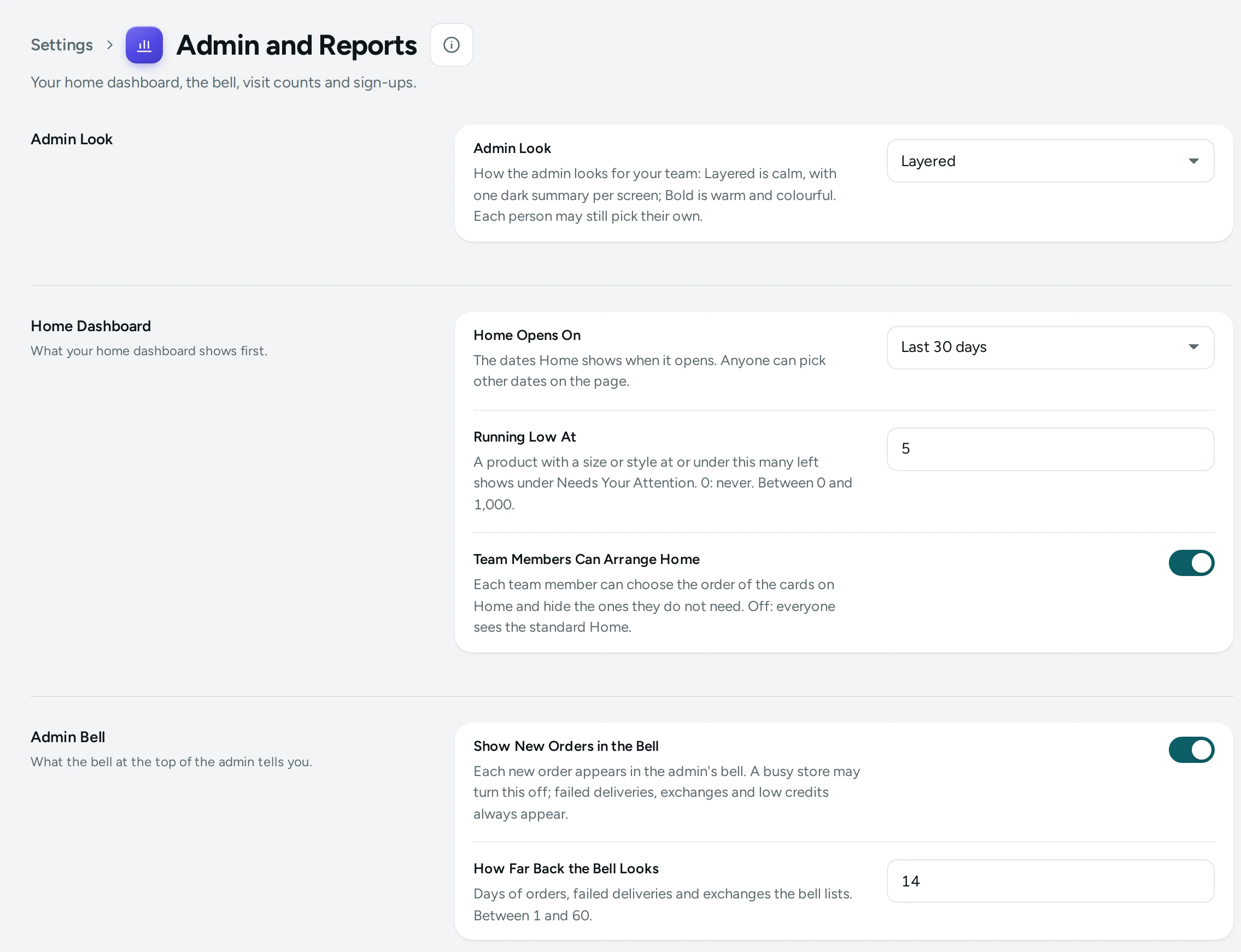
The Settings
Home Dashboard
What your home dashboard shows first.
| Setting | What It Does | Default |
|---|---|---|
| Home Opens On | The dates Home shows when it opens. Anyone can pick other dates on the page. Choices: Last 7 days, Last 30 days, Last 90 days. | Last 30 days |
| Running Low At | A product with a size or style at or under this many left shows under Needs Your Attention. 0: never. (0 to 1000) | 5 |
| Team Members Can Arrange Home | Each team member can choose the order of the cards on Home and hide the ones they do not need. Off: everyone sees the standard Home. | On |
Admin Bell
What the bell at the top of the admin tells you.
| Setting | What It Does | Default |
|---|---|---|
| Show New Orders in the Bell | Each new order appears in the admin's bell. A busy store may turn this off; failed deliveries, exchanges and low credits always appear. | On |
| How Far Back the Bell Looks | Days of orders, failed deliveries and exchanges the bell lists. (1 to 60) | 14 |
Analytics
Counting store visits for your reports.
| Setting | What It Does | Default |
|---|---|---|
| Analytics Opens On | The dates Analytics and the reports show when they open. Anyone can pick other dates there. Choices: Last 7 days, Last 30 days, Last 90 days. | Last 30 days |
| Compare With | What Analytics compares the chosen dates with when it opens. Choices: The days just before, The same dates a year earlier, Nothing. | The days just before |
| Record Store Visits | Counts visits, pages seen, bags and checkouts on your store for your reports. No address, cookie or device detail is kept; a visitor cannot be followed from one day to the next. Visits are kept 30 days, then only the daily totals. | On |
Sign-up Forms
Email sign-ups from your storefront.
| Setting | What It Does | Default |
|---|---|---|
| Sign-up Forms | Shoppers can join the store's list with their email or WhatsApp number from the footer, the sign-up popup and the home page's sign-up section. Off: none of them is shown. | On |
| Confirm Emails by a Link | A new email address joins the list only after its owner taps the link in the confirmation email. Nobody can sign up someone else. | On |
| Sign-up Band in the Footer | A band at the top of every page's footer asks shoppers to join the list. | On |
| Footer Band Asks For | An email address or a WhatsApp number. Choices: Email, WhatsApp number. |
Notes on Each Card
- Home Dashboard: see The Home Screen. A bigger store with deep stock may raise Running Low At; a made-to-order store may set it to 0.
- Admin Bell: see Search, the Bell and Shortcuts.
- Analytics: Record Store Visits powers the Traffic tab, conversion rate and the funnel in Analytics. It keeps no address, cookie or device detail, and no visitor can be followed from one day to the next. Turned off, visits are not counted from then on.
- Sign-up Forms: the footer band, popup and sign-up sections that build your Subscribers list; also set on the Popup and Forms screen.
How This Page Works
Settings pages share one way of working (see Settings Home):
- Each card groups the settings of one feature, with a line saying what it is for. Its main switch turns the whole feature on or off.
- Change what you need; a save bar appears with SAVE. "Settings saved." Nothing changes on your store until you save.
- USE DEFAULT puts a setting you changed back to Mercayo's default.
- A setting Set by Mercayo for your store shows Locked (with Mercayo's reason when given) and cannot be changed here; "Mercayo allows … for your store." shows a range Mercayo has set.
- If a teammate saved the page after you opened it: "Someone else saved these settings after you opened the page, so yours were not saved. Reload to see theirs."
- Anyone who can see settings can look ("You can see these settings. Changing them needs the settings right."); saving needs the right to change settings.
Questions
Do these settings change what shoppers see?
Only Sign-up Forms does. The rest change the admin and your reports.
Why does Analytics show no visits?
Check that Record Store Visits is on. Visits are counted from when it is on, never backwards.