"Who must use two-step sign-in, and how long staff invitations work." Settings › Sign-In and Security protects your store's admin. Two-step sign-in means a code from an authenticator app at every sign-in, so a stolen password alone cannot open your store.
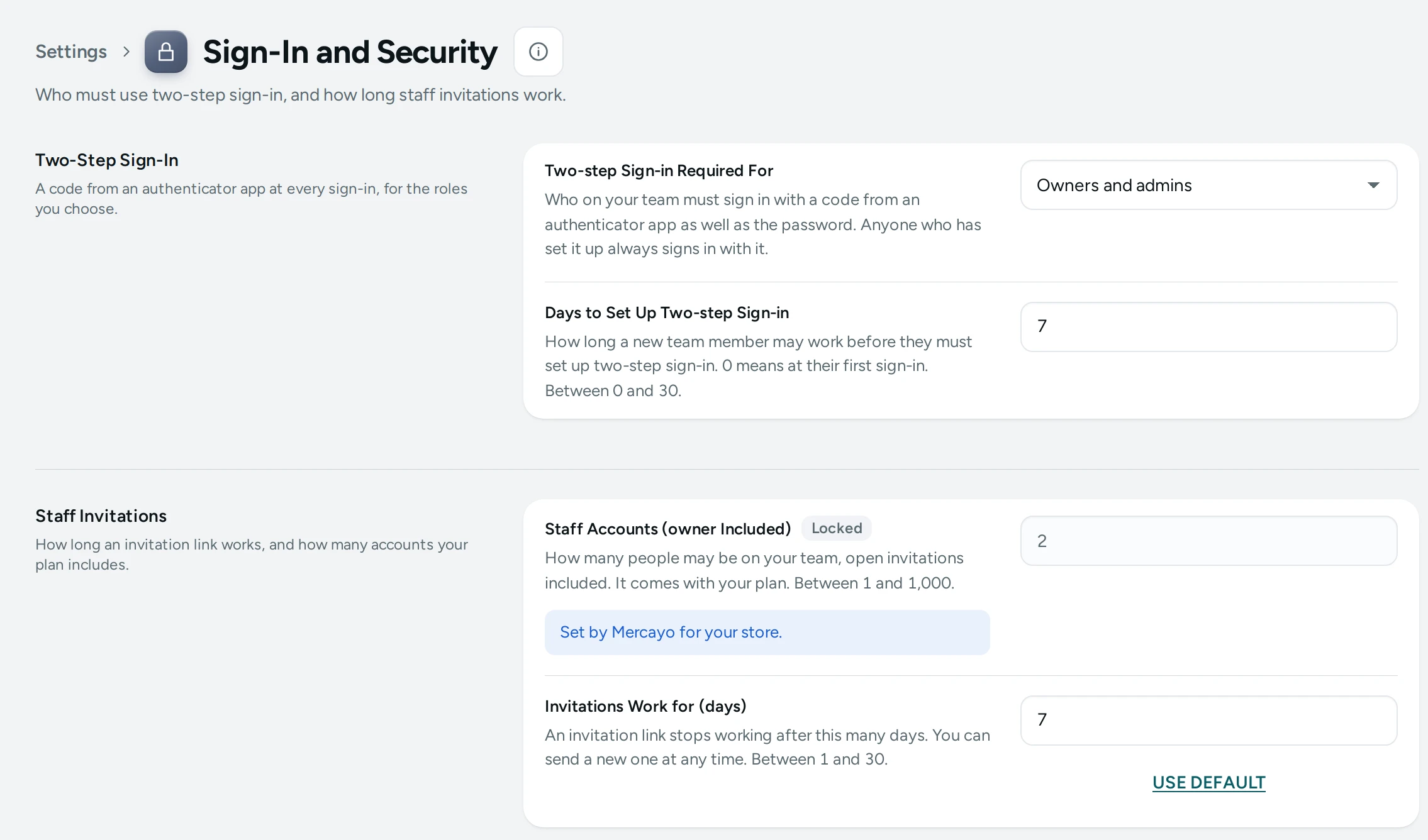
The Settings
Two-Step Sign-In
A code from an authenticator app at every sign-in, for the roles you choose.
| Setting | What It Does | Default |
|---|---|---|
| Two-step Sign-in Required For | Who on your team must sign in with a code from an authenticator app as well as the password. Anyone who has set it up always signs in with it. Choices: Owners and admins, Everyone on the team, The owner only, Nobody (each person chooses). | Owners and admins |
| Days to Set Up Two-step Sign-in | How long a new team member may work before they must set up two-step sign-in. 0 means at their first sign-in. (0 to 30) | 7 |
Staff Invitations
How long an invitation link works, and how many accounts your plan includes.
| Setting | What It Does | Default |
|---|---|---|
| Invitations Work for (days) | An invitation link stops working after this many days. You can send a new one at any time. (1 to 30) | 7 |
Who Must Use Two-Step Sign-In
| Choice | Who Must |
|---|---|
| Owners and admins (default) | The owner and every admin |
| Everyone on the team | Every member, staff roles included |
| The owner only | Only the owner |
| Nobody (each person chooses) | Nobody; anyone may turn it on for themselves |
"Anyone who has set it up always signs in with it." A member who must use it gets Days to Set Up Two-step Sign-in (7 by default) with a banner reminding them; after that, the admin asks them to set it up before they can continue. 0 means at their first sign-in. How to set it up: Two-Step Sign-In.
Staff Invitations
An invitation link works for Invitations Work for (days) (7 by default). You can send a new one at any time from Staff and Roles.
How This Page Works
Settings pages share one way of working (see Settings Home):
- Each card groups the settings of one feature, with a line saying what it is for. Its main switch turns the whole feature on or off.
- Change what you need; a save bar appears with SAVE. "Settings saved." Nothing changes on your store until you save.
- USE DEFAULT puts a setting you changed back to Mercayo's default.
- A setting Set by Mercayo for your store shows Locked (with Mercayo's reason when given) and cannot be changed here; "Mercayo allows … for your store." shows a range Mercayo has set.
- If a teammate saved the page after you opened it: "Someone else saved these settings after you opened the page, so yours were not saved. Reload to see theirs."
- Anyone who can see settings can look ("You can see these settings. Changing them needs the settings right."); saving needs the right to change settings.
Questions
A staff member lost their phone. What now?
They use a recovery code on the sign-in code step. Without one, they contact Mercayo's support, who check who they are before resetting it.
Does two-step sign-in apply to shoppers?
No. These settings are for your team. Shoppers sign in with a code or Google; see Shopper Accounts Settings.