"How long shoppers may ask for a refund or an exchange, and who pays for it." Settings › Returns and Exchanges turns on the two ways a shopper can come back to you after delivery, from their own order page: an exchange (the same item again or, in the size categories you choose, another variant of the same product), and a return for a refund. Both are off for a new store, and you approve every request yourself in Exchanges and Returns.
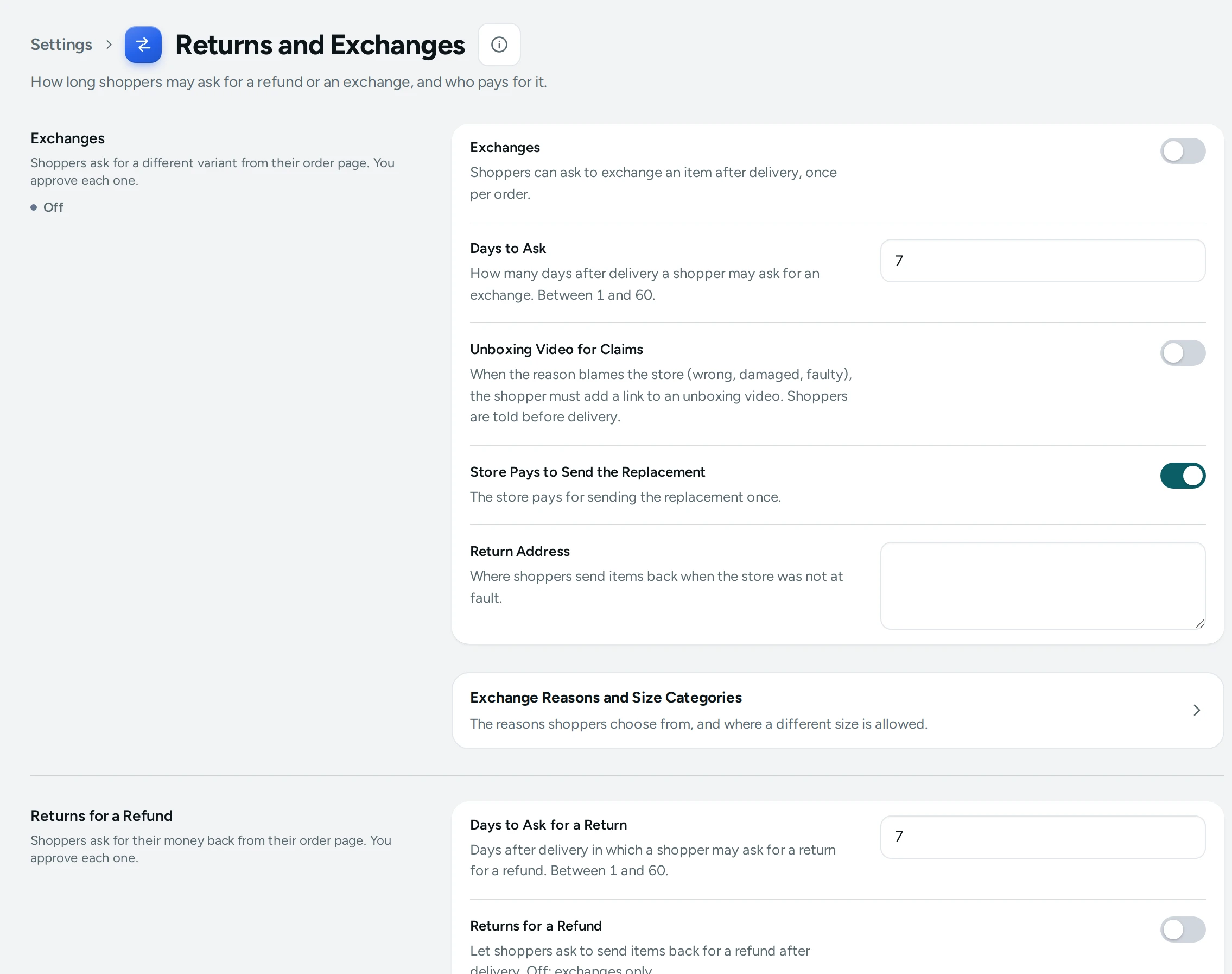
The Settings
Exchanges
Shoppers ask for a different variant from their order page. You approve each one.
| Setting | What It Does | Default |
|---|---|---|
| Exchanges | Shoppers can ask to exchange an item after delivery, once per order. | Off |
| Days to Ask | How many days after delivery a shopper may ask for an exchange. (1 to 60) | 7 |
| Unboxing Video for Claims | When the reason blames the store (wrong, damaged, faulty), the shopper must add a link to an unboxing video. Shoppers are told before delivery. | Off |
| Store Pays to Send the Replacement | The store pays for sending the replacement once. | On |
| Return Address | Where shoppers send items back when the store was not at fault. | Empty |
Returns for a Refund
Shoppers ask for their money back from their order page. You approve each one.
| Setting | What It Does | Default |
|---|---|---|
| Days to Ask for a Return | Days after delivery in which a shopper may ask for a return for a refund. (1 to 60) | 7 |
| Returns for a Refund | Let shoppers ask to send items back for a refund after delivery. Off: exchanges only. | Off |
The page also links to Exchange Reasons: "The reasons shoppers choose from. Mark which ones are the store's fault (you arrange the pickup) and which one allows a different size." See Exchange Reasons.
How They Work Together
- Exchanges on: after delivery, the shopper's order page offers to ask for an exchange, once per order, within Days to Ask (7 by default). They choose a reason; with a size change reason, in a size category, they may also choose another variant of the same product.
- If the reason blames the store (wrong, damaged, faulty), you arrange the pickup; with Unboxing Video for Claims on, the shopper must add a link to an unboxing video, and they are told so before delivery so they can record one.
- Store Pays to Send the Replacement (on): you pay for sending the replacement once.
- Return Address: where shoppers send items back when the store was not at fault (for example a size change they asked for). Fill it in before turning exchanges on.
- Returns for a Refund on: shoppers may ask to send items back for their money within Days to Ask for a Return. Off: exchanges only.
What Shoppers See
On their order page (from the email link, their account, or /track), a delivered order shows ASK FOR AN EXCHANGE and, with returns on, a way to return for a refund, until the days run out. They follow the request's progress on the same page.
How This Page Works
Settings pages share one way of working (see Settings Home):
- Each card groups the settings of one feature, with a line saying what it is for. Its main switch turns the whole feature on or off.
- Change what you need; a save bar appears with SAVE. "Settings saved." Nothing changes on your store until you save.
- USE DEFAULT puts a setting you changed back to Mercayo's default.
- A setting Set by Mercayo for your store shows Locked (with Mercayo's reason when given) and cannot be changed here; "Mercayo allows … for your store." shows a range Mercayo has set.
- If a teammate saved the page after you opened it: "Someone else saved these settings after you opened the page, so yours were not saved. Reload to see theirs."
- Anyone who can see settings can look ("You can see these settings. Changing them needs the settings right."); saving needs the right to change settings.
Questions
Can I offer exchanges but not refunds?
Yes: turn on Exchanges and leave Returns for a Refund off.
Can a shopper exchange for a different size?
Yes, in the categories you mark under Exchange Reasons' Size Categories; elsewhere an exchange is for the same item again.
Do I have to accept every request?
No. Every request waits for you to accept or decline it, with a reason.