Subscribers is your marketing list: "People who joined your list from the footer, the popup or a sign-up section, with the consent they gave." Unlike the Customers list, it holds only people who agreed to hear from you, and keeps the proof. Open Marketing › Subscribers. Seeing it needs the customers right; unsubscribing or deleting a record needs the right to edit customers; exporting needs the right to export customer data.
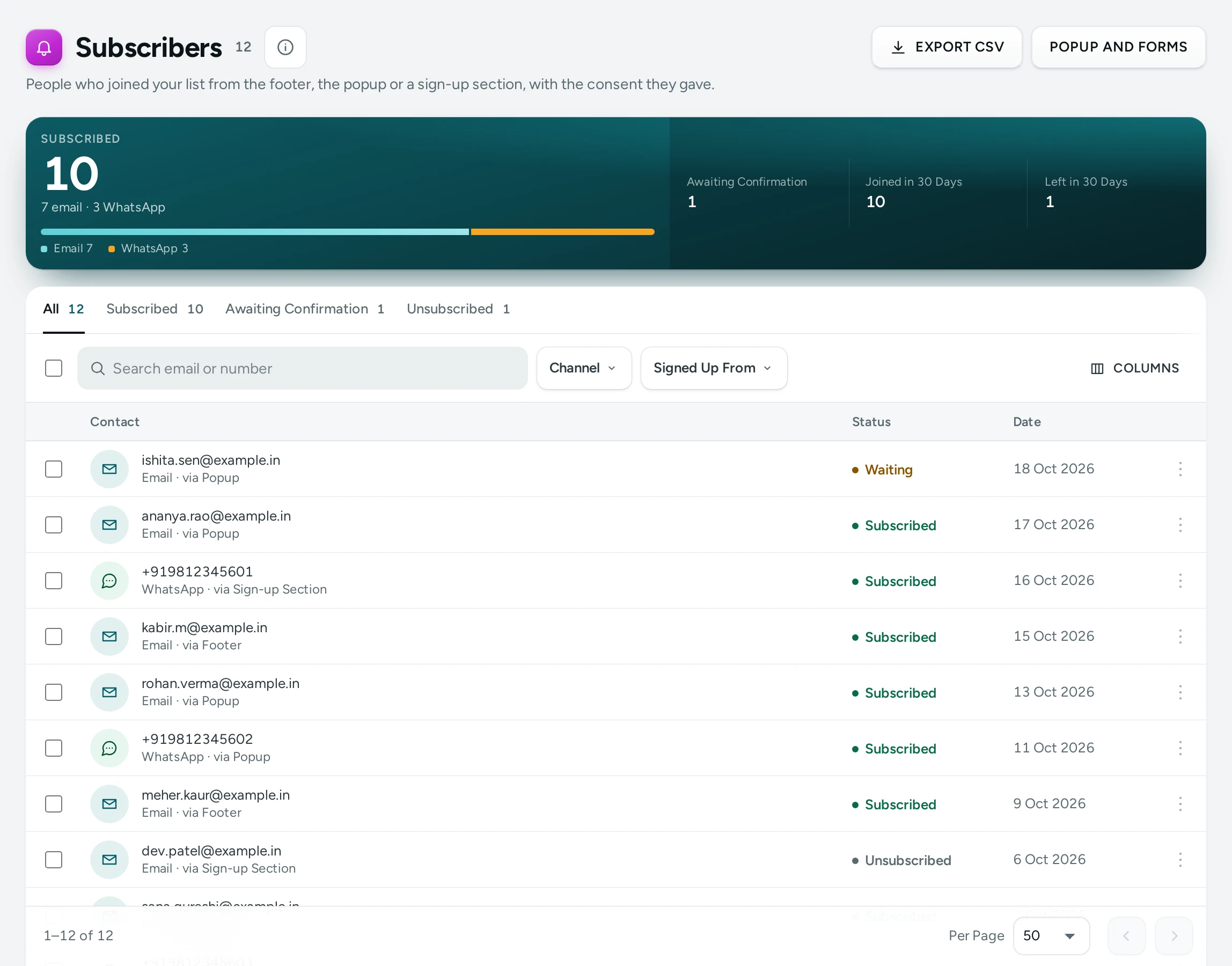
The Totals
| Number | Meaning |
|---|---|
| Subscribed | People on the list today: confirmed emails and WhatsApp numbers, split "… email · … WhatsApp" |
| Joined in 30 Days | Sign-ups in the last 30 days that have not left |
| Awaiting Confirmation | Emails sent a confirmation link that has not been tapped yet. They get nothing until they confirm. |
| Left in 30 Days | People who unsubscribed in the last 30 days |
The List
Tabs Subscribed, Awaiting Confirmation and Unsubscribed; Search email or number. Columns: Contact, Channel (Email or WhatsApp), Signed Up From (Footer, Popup, Sign-up Section, Other), Status (Subscribed, Waiting, Unsubscribed) and Date.
The Consent Record
Show Consent opens the proof for one person: Agreed On (the date and time), What They Agreed To (the exact words they saw), where they signed up, and Email Confirmed (when they tapped the link, or "Joined without a confirmation email" when confirmation was off). For someone who left: Left On and how: "by their own link", "from an email's unsubscribe link", "by their email provider", or "by your team, on request".
Confirming Emails (Double Opt-In)
With Confirm Emails by a Link on (the default), a new email address joins the list only after its owner taps the link in the confirmation email: "Nobody can sign up someone else." Until then they show under Awaiting Confirmation and get nothing. WhatsApp numbers join straight away.
Unsubscribe and Delete
- Unsubscribe: "They stop getting the store's newsletter and offers. Updates about their orders still reach them." Use it when someone asks you to take them off the list.
- Delete Record: erases the contact and the record of their consent for good. "Do this only when the person asks for their data to be removed." Type DELETE to confirm.
Export
EXPORT CSV downloads the list with the current tab and search ("Exported … subscribers."), for your email tool. Use only the Subscribed tab for sending, and respect unsubscribes there too.
Where People Sign Up
Shoppers join from:
- the sign-up band at the top of every page's footer (Sign-up Band in the Footer, on by default, asking for an Email or a WhatsApp number);
- the sign-up popup, when you turn it on: see Sign-Up Popup;
- a Sign Up section on your home page or any page, from the page editor.
POPUP AND FORMS opens the screen where you set all of these up. With no subscribers yet: "When shoppers join your list from the footer, the popup or a sign-up section, they appear here." with SET UP THE POPUP.
Settings
| Setting | What It Does | Default |
|---|---|---|
| Sign-up Forms | Shoppers can join your list from the footer, the popup and the sign-up section. Off: none is shown | On |
| Confirm Emails by a Link | Emails join only after tapping the confirmation link | On |
| Sign-up Band in the Footer | A band at the top of every page's footer asks shoppers to join | On |
| Footer Band Asks For | Email or WhatsApp number |
These are on the Popup and Forms screen and in Settings › Admin and Reports.
Questions
Are all my customers subscribers?
No. Buying from you is not consent to marketing. Only people who joined the list are subscribers. A customer's page shows whether they agreed to receive offers.
Can I add subscribers by hand or import them?
Not today: people join the list themselves, so their consent is recorded.
Does Mercayo send newsletters?
Yes. Marketing › Campaigns sends an email to your subscribers or to a customer segment, only to people who agreed, with a one-click unsubscribe; see Email and SMS Campaigns. You can also export the list for your own email tool. For offers on WhatsApp, see WhatsApp Templates.