The Media library holds every picture and video your store uses, with where each one appears. Upload once, use it anywhere: every picture field in the admin can pick from the library. Open Online Store › Media. It needs the right to edit content, page designs or products. Without the right: "Your role does not include the media library. Ask the store owner."
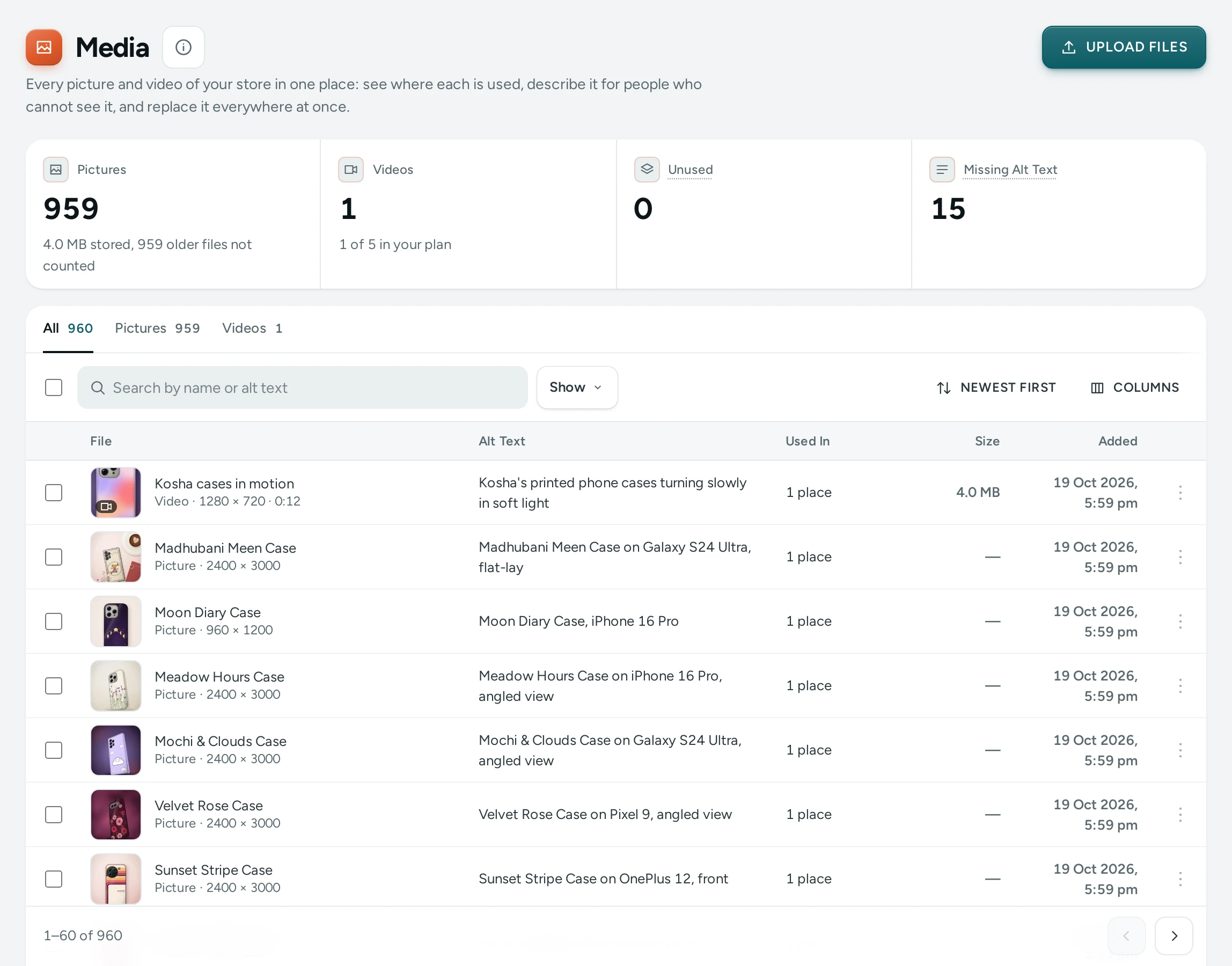
The Summary
Pictures, Videos (with "… of … in your plan", or "No limit in your plan"), Unused ("Files no product, collection, page or setting shows. They can be deleted.") and Missing Alt Text, with how much is stored.
Finding Files
Tabs All, Pictures and Videos; Search by name or alt text; Show Unused or Missing Alt Text; sort Newest First, Oldest First, Largest First or Name A–Z. Each row: File, Alt Text (or Missing), Used In ("3 places"), Size and Added.
One File
Open shows its Name, Alt Text (for a video, What the Video Shows), the facts (Type, Dimensions, File Size, Length, Added) and Where It Is Used: each product, collection, category, brand, page design, saved section, blog post, menu or setting that shows it. For a picture, click the part that must always show (CENTRE resets it): frames of another shape crop around it. Tick Also use it where this file has no alt text yet to fill the alt text everywhere at once.
REPLACE swaps the file everywhere it is used: "Replaced in 4 places". Good for a better photo of the same product.
Uploading and Deleting
UPLOAD FILES, or drop files on the page. Every picture field in the admin also has FROM MEDIA (for product photos, Add Photos From Media). To tidy up, filter Unused, select files and DELETE … UNUSED. A file in use cannot be deleted ("Used on the store: remove it from those places first."), and a file an older published page version still shows is kept for restoring that version.
Questions
Does the library lower my picture quality?
No. Mercayo keeps your originals and makes sized copies for fast pages, never recompressing the original.
Why can't I delete a picture?
It is used somewhere on your store. Where It Is Used lists the places.