Besides order updates and offers, your store can tell shoppers on WhatsApp about six more moments: a payment that did not go through, an order running late, part of an order shipped on its own, store credit ending soon, birthday credit added and a price drop on a product they saved. Each message carries your store's name, picture and words like your other WhatsApp messages, in English and Hindi, and each has its own switch.
Before You Start
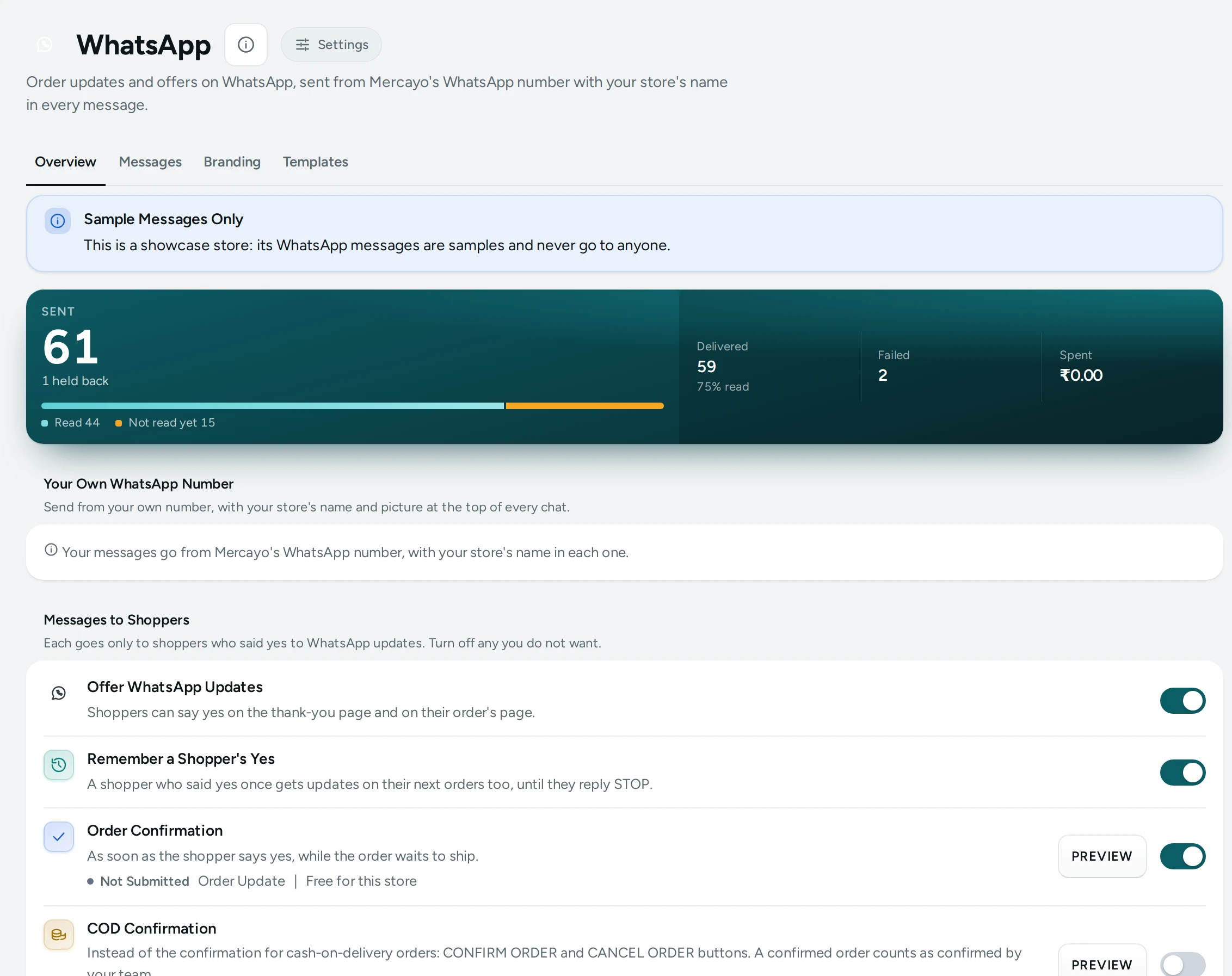
- WhatsApp approves each message first. Mercayo submits the words of every new message to WhatsApp. A message starts going only once WhatsApp approves it; until then nothing goes for it, even with its switch on. Its state shows beside it, as for every message.
- The shopper chose to hear from you. The first five go only to shoppers who said yes to WhatsApp updates (on their order, or on an earlier one) and never to a number that replied STOP. A price drop is a marketing message: it goes only to numbers that joined your WhatsApp list.
- Demo stores never send. Kosha shows sample messages, marked Sample, that were never sent.
The Messages and Their Switches
In Marketing › WhatsApp, each message has its own switch:
| Message | When It Goes | Default |
|---|---|---|
| Payment Not Completed | An online payment did not go through and the order still waits for it. The message's Pay now button opens the order, where PAY NOW pays for it. | On |
| Order Running Late | The courier's expected delivery date passed and the parcel has not arrived, or your team pressed MARK DELAYED on the order. | On |
| Part of an Order Shipped | An order goes in more than one parcel: each parcel's message says which items are in it. | On |
| Store Credit Ending Soon | The shopper's birthday credit ends within the days you set, and some of it is left. | Off |
| Birthday Credit | Your store added the shopper's birthday credit. | Off |
| Wishlist Price Drop | A product on the shopper's wishlist gets cheaper. A marketing message: only to numbers on your WhatsApp list, at most once a month for each product. | Off |
Days Before Credit Ends sets how early the Store Credit Ending Soon message goes: 3 days to start with.
Payment Not Completed
When a shopper's online payment fails or they close the payment window, their order waits for its payment for your store's Time to Pay (30 minutes to start with), then it is cancelled and its stock goes back.
- A few minutes after the payment did not go through, the shopper gets the message with the order's number, its amount and until when you keep it.
- Pay now opens their order's page, which shows PAY NOW.
- PAY NOW opens the payment again for the same order. No second order is made, and an order already paid is simply shown as paid.
Once the Time to Pay has passed, the order is cancelled and the page says so; the shopper places it again.
Order Running Late
The message goes once for a parcel whose courier's expected delivery date has passed with no delivery, during the day (India time), never at night. To tell a shopper yourself:
- Open the order and press MARK DELAYED.
- Choose the new expected date (optional) and press the button to confirm.
The shopper gets the message at once, with the new date when you gave one; the order's history shows who marked it.
Part of an Order Shipped
When an order is sent in more than one parcel (today, a marketplace order with several sellers' parts), each parcel's message says "parcel 1 of 2" and lists the items in it. When the last part ships, the usual Order Shipped message follows.
Store Credit and Birthdays
- Birthday Credit goes when your store gives the shopper their birthday credit, during the day, with the amount, the day it ends and their balance, and a button to their balance.
- Store Credit Ending Soon goes once for each gift, the set number of days before it ends, while some of it is left.
Price Drops on a Wishlist Item
When you lower a product's price, shoppers whose wishlist holds it hear about it, with the new price, the old one and a button to the product. It goes only:
- to shoppers with an account, whose mobile number joined your WhatsApp list and has not replied STOP;
- once a month at most for each product and shopper;
- outside quiet hours (9 pm to 9 am in the shopper's time) and within the day's limit of marketing messages;
- on a plan with WhatsApp Marketing (included on Growth and Scale, an add-on on Starter).
What the Shopper Sees
Each message names your store in bold, carries its picture (yours for that message, or one made in your colours), a line in your own words (EDIT WORDS on the Branding tab) and a button: Pay now, Track order, View balance or View product. Utility messages end "Reply STOP to stop these updates"; the price drop ends "You can stop these messages at any time" with a Stop messages button.
Good to Know
- Each message is paid from your notification credits like your other WhatsApp messages: order and credit messages at the order price, the price drop at the marketing price.
- Mercayo can force or lock any of these switches for your store; a locked one says "Set by Mercayo for your store".
- Every message sent or held back shows in WhatsApp Messages, with the reason when it was held back.
Questions
Why did a shopper not get the Payment Not Completed message?
They did not say yes to WhatsApp updates, the order was already paid or cancelled, the switch is off, or WhatsApp has not approved the message yet. WhatsApp Messages shows a held-back message with its reason.
Can a shopper pay after the order was cancelled?
No. Once the Time to Pay has passed, the order is cancelled and its stock goes back; they place the order again.
Does marking an order delayed change anything else?
It records the delay in the order's history and, when you give one, the parcel's new expected date. It does not change the order's status.
Will a price drop go to every shopper who saved the product?
No. Only to shoppers whose number joined your WhatsApp list, once a month at most for each product, never during quiet hours.