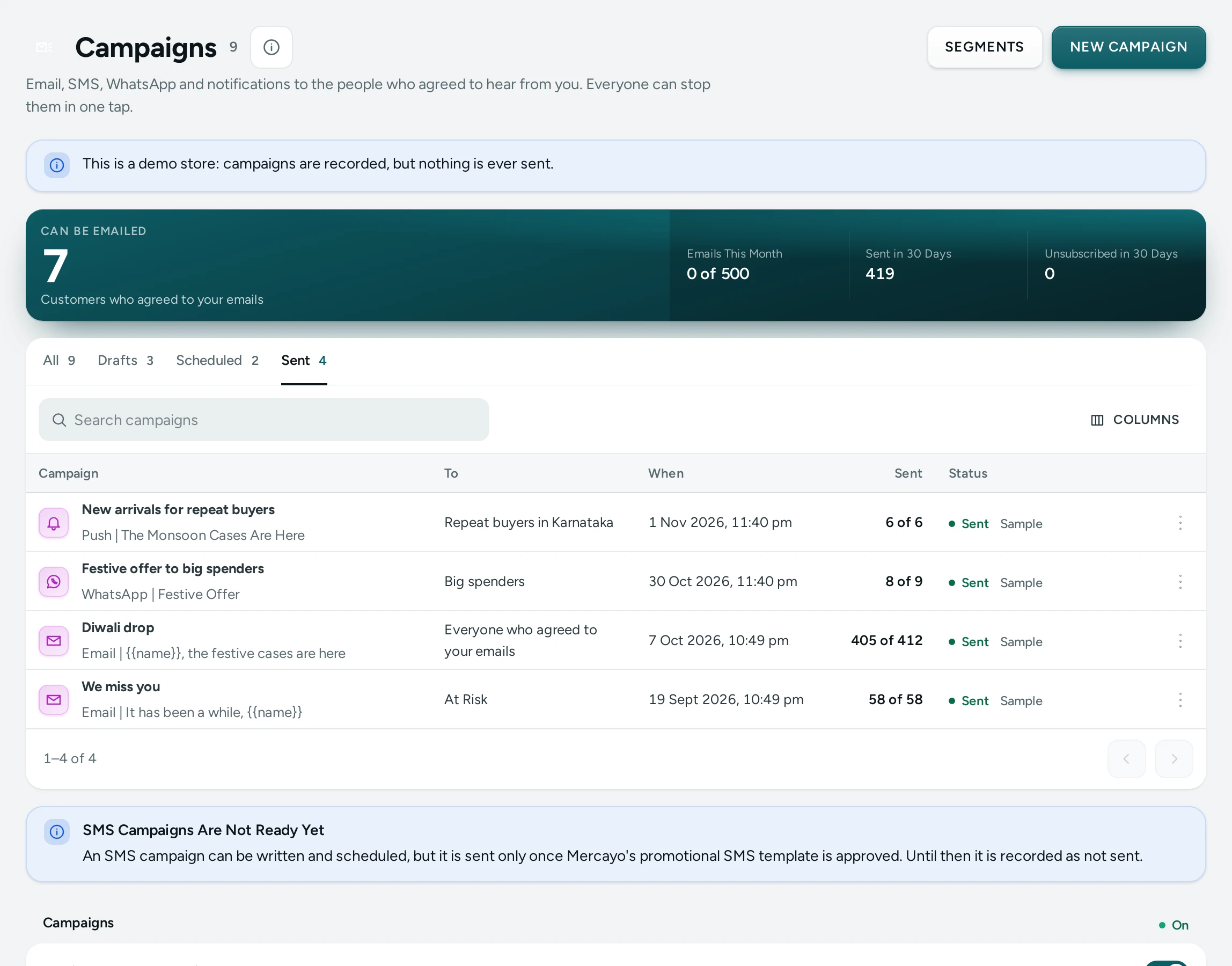
A campaign can go by WhatsApp or as a Push notification as well as by email and SMS, to the same audiences: everyone who agreed, one of your segments, or an RFM group. Open Marketing › Campaigns and press NEW CAMPAIGN.
Who Gets It
- WhatsApp goes only to numbers on your WhatsApp list (people who joined it, which is their yes to your offers). Anyone who replied STOP to any of your messages is left out, and a STOP while a campaign is still going cancels their message at once.
- Push goes only to browsers that allowed your store's notifications. Everyone reaches every such browser. A segment or an RFM group reaches the browsers its people allowed notifications on while signed in to your store (or came back to signed in), so the count may be smaller than the segment.
The editor shows the count before you send: "Reaches … of … people" for WhatsApp, "Browsers it goes to: …" for push.
A WhatsApp Campaign
- In Send By, choose WHATSAPP.
- In WhatsApp Offer, choose one of your own offer templates that WhatsApp approved for the number your store sends from (write one in WhatsApp Templates first).
- Fill in each Blank. The same words go to everyone; each blank is one line of up to 200 characters.
- The Preview shows the message as WhatsApp shows it, and the card says what it costs: each message is a marketing message, paid from your notification credits, with your balance beside it.
- SAVE, then SEND A TEST TO MY WHATSAPP: the test goes to the mobile number on your account and costs one message.
Your WhatsApp rules hold for every campaign: nobody gets more than your daily marketing limit, nothing goes in a shopper's quiet hours (it waits for the morning), and at most the day's number of offers starts. On a plan without the WhatsApp Marketing add-on you can write and save a campaign, and send it once the add-on is on.
A Push Campaign
- In Send By, choose PUSH.
- Write the Title (up to 60 characters), the Text (up to 180) and the page it Opens (a live page of your store; empty opens your home page).
- The Preview shows the notification as a phone shows it, with your store's name.
- SAVE, then SEND A TEST TO MY DEVICES: the test goes to the devices you turned alerts on for in Settings › Admin App and Alerts.
Notifications to shoppers must be on in Marketing › Push Notifications, and a campaign counts towards that screen's notifications a day.
Send, Schedule or Stop
SEND NOW sends it at once; SCHEDULE chooses a day and time (India time) from 5 minutes to 90 days ahead, and UNSCHEDULE makes it a draft again. While it is going, STOP SENDING cancels the messages still waiting. A WhatsApp campaign also shows on WhatsApp's Templates screen among the offers sent. A demo store records campaigns but never sends, not even a test.
A campaign is not sent, and says why, when its offer is no longer approved, the add-on is missing, your credits do not cover it, notifications to shoppers are off, the day's limit is reached, or nobody in its audience agreed.
What Happened
Open a campaign that went:
| Figure | Push | |
|---|---|---|
| Sent | Messages WhatsApp accepted | Notifications the browser's push service accepted |
| Delivered | Reached the phone | Not reported by browsers |
| Read | Read, as WhatsApp reports it (people who turned read receipts off are not counted) | Not reported |
| Opened | Not reported | Notifications tapped open, each once |
| Replies and Replied STOP | Answers to this offer, and the STOPs | Not reported |
| Cost | Taken from your credits; failed messages are given back | Free |
| Browsers Gone | Not reported | Browsers that no longer take notifications |
A store's own WhatsApp offer has no buttons and a notification opens one page, so neither has link clicks to count.
Settings
The Campaigns card has WhatsApp Campaigns and Notification Campaigns (both on). Turning one off stops its campaigns that are due; Mercayo's team can turn either on or off for a store.
Questions
Can I send a WhatsApp campaign to everyone who ordered from me?
No: only to people on your WhatsApp list. WhatsApp's own rules allow marketing messages only to people who agreed, and a number that never agreed is never written to.
Why does a segment reach fewer browsers than people?
A browser is known to belong to someone only when they allowed notifications while signed in, or came back signed in later. Browsers of guests are reached by "everyone" only.