Sales Channels turns your catalogue into product feeds that Google Merchant Center and Meta's catalogue read on their own, so your products can appear in Google Shopping and in Facebook and Instagram ads and shops. You paste a feed address once; it never changes, and it is always up to date with your products, prices and stock. Open Online Store › Sales Channels.
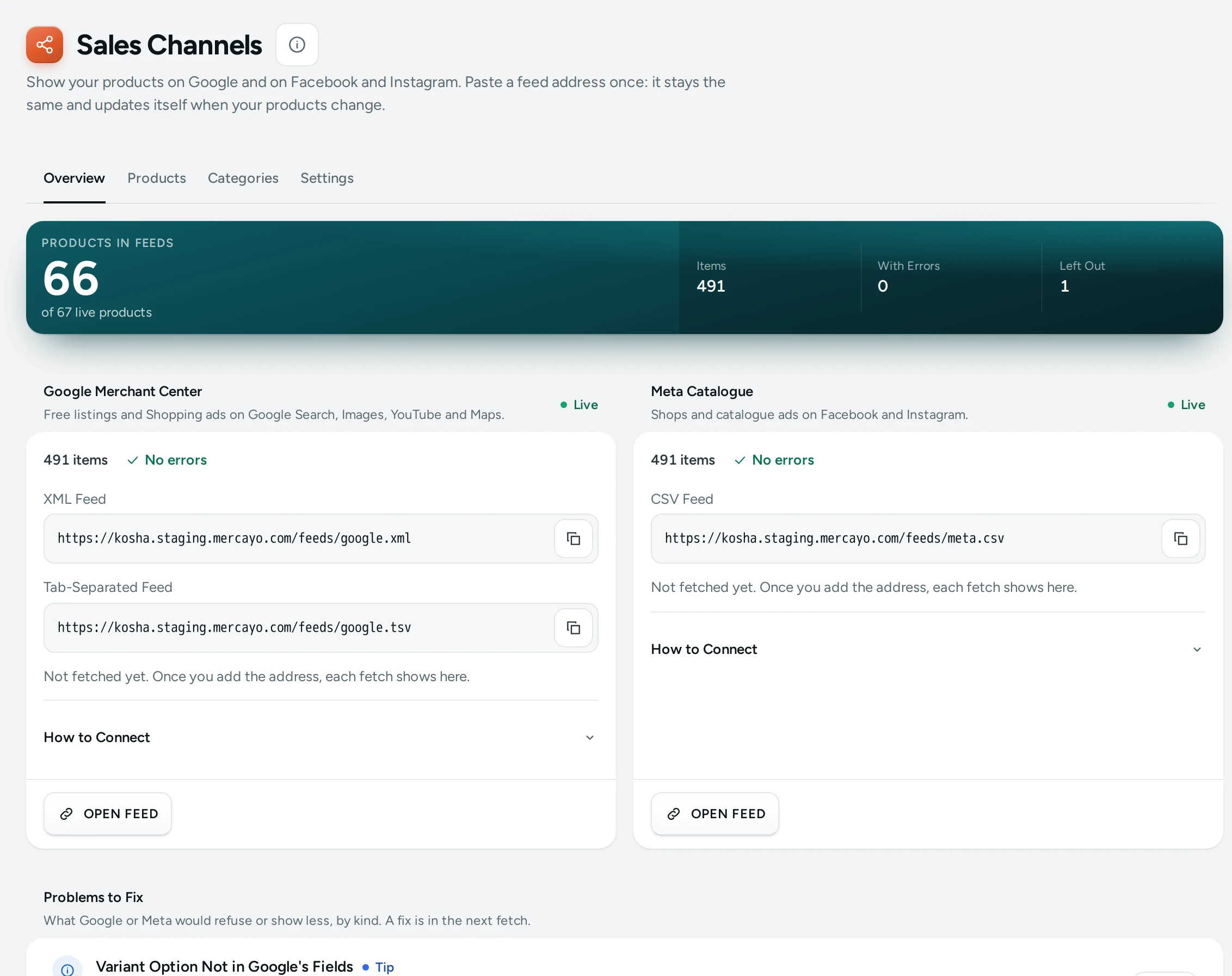
The Feed Addresses
On your store's own primary address:
| Feed | Address | Paste It In |
|---|---|---|
| Google (XML) | https://yourbrand.in/feeds/google.xml | Merchant Center: Add products, from a file, a link |
| Google (text) | https://yourbrand.in/feeds/google.tsv | The same, if you prefer the text format |
| Meta (CSV) | https://yourbrand.in/feeds/meta.csv | Commerce Manager: Data sources, Data feed, URL, with a schedule |
Each channel card (Google Merchant Center, Meta Catalogue) on the Overview tab shows the address with a copy button, OPEN FEED, How to Connect in steps, and when it was last fetched ("Google fetched it on …", or "Not fetched yet. Once you add the address, each fetch shows here."). Feeds start when you launch: before that the card says After Launch, because Google and Meta could not open your product pages.
What Goes in the Feed
One item per variant, grouped by product: the title with the variant's options, the description, pictures (the variant's own first, at full quality), availability (in stock, out of stock, or backorder with a date), price and, with an MRP, the MRP as the price and your selling price as the sale price, the brand (else your store's name), the GTIN when the barcode is a valid one, condition, Google category, your category path, colour, size, material and pattern from options of those names, and delivery: the highest price any part of India pays for that weight, with the days.
Fixing Problems
The Products tab lists products with their Problems (each an Error, a Warning or a Tip), with a filter by problem, and LEAVE OUT OF FEEDS / PUT BACK IN FEEDS in bulk. Among them: No Picture, Picture Too Small, No Description, Long Title, Title in Capitals, No Brand, No Price, No Google Category and Barcode Is Not a GTIN (a tip: the item is sent without a GTIN). Each product's side sheet sets its Google category, condition, a campaign label and MRP sale dates, with EDIT PRODUCT.
The Categories tab matches each of your categories to Google's (Choose a Google Category searches all of Google's categories by words), so products inherit it.
Settings
On the Settings tab:
| Setting | What It Does | Default |
|---|---|---|
| Product Feeds | The feeds as a whole | On |
| Google Merchant Center Feed | The Google feed | On |
| Meta Catalogue Feed | The Meta feed | On |
| Sold-out Products | Include, as out of stock (ads pause by themselves) or Leave out until back | Include, as out of stock |
| Condition | New, Refurbished or Used, unless a product says otherwise | New |
| Default Google Category | For products whose category has no Google category | None |
| Store Name as Brand | Your store's name as the brand when a product has none | On |
| SKU as Part Number | For stores that make their own goods | Off |
| MRP as the Regular Price | The MRP as the price and your selling price as the sale price | On |
Questions
How often does Google see my changes?
Google and Meta fetch on their own schedule; whenever they do, the feed already has your latest products, prices and stock.
Do display currencies change the feed?
No. Feed prices are always in rupees.