Shoppers who added your store to their home screen, or allowed notifications, can get a short note from you in their browser: a new drop, a restock, a festival sale. Open Marketing › Push Notifications.
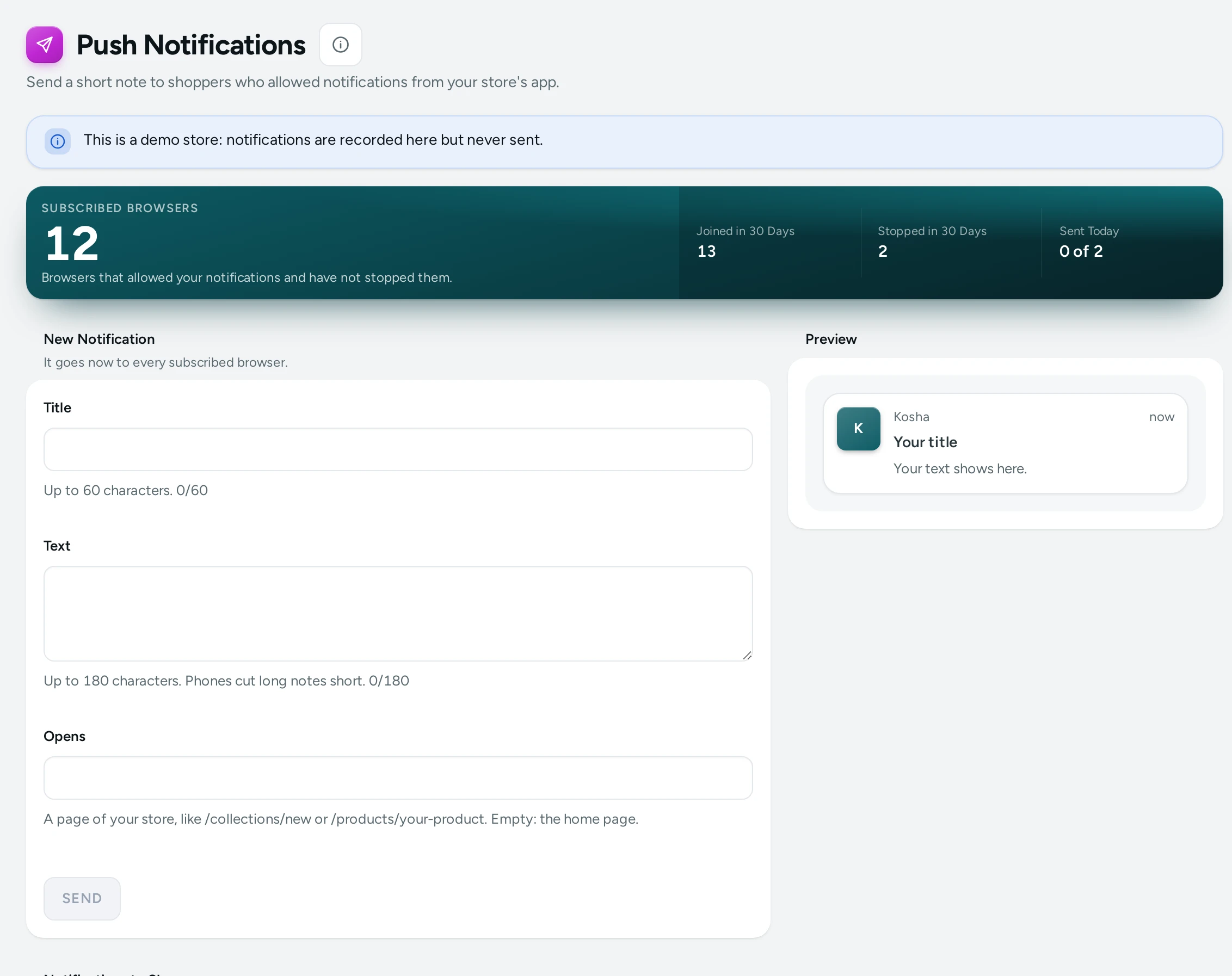
The Totals
Subscribed Browsers, Joined in 30 Days, Stopped in 30 Days and Sent Today ("… of …" your daily limit). If notifications to shoppers are off: Notifications to Shoppers Are Off ("Turn them on below. Shoppers are asked only after a few pages, never on the bag, checkout or account."). They need your store's app (Add to home screen) on: PIXELS, COOKIES AND APP opens it.
Send a Notification
- New Notification: "It goes now to every subscribed browser."
- Title (up to 60 characters), Text (up to 180; "Phones cut long notes short.") and the page it Opens.
- Check the Preview.
- SEND, then SEND NOW ("It goes to … subscribed browsers now and cannot be taken back.").
Sent lists each notification with To, Arrived, Opened and Status (Sending, Sent or Not Sent). A demo store records but sends nothing ("Recorded. This is a demo store, so nothing was sent."). Seeing and sending needs the right to see customers.
Settings
The Notifications to Shoppers card at the bottom of the screen:
| Setting | What It Does | Default |
|---|---|---|
| Notifications to Shoppers | Shoppers using your store's app can allow notifications about offers and new arrivals. Needs Add to home screen on. | Off |
| Ask from Page | The store asks only after this many pages in a visit, never on the bag, checkout or account (1 to 20) | 3 |
| Notifications a Day | At most this many notifications to shoppers in 24 hours, so nobody is pestered (1 to 10) | 2 |
The Recent Purchases Popup
An optional note on your store showing real recent orders ("Someone in Jaipur bought …"): the city and the product, never a name. It is off by default. Its settings are the Recent Purchases Popup card in Settings › Online Store: Recent Purchases Popup (off), Orders from the Last Days (7; cancelled and unpaid orders never show), Seconds Between Notes (25), Notes in a Visit (3; a shopper who closes one sees no more in that visit) and Also on Phones (off: computers and tablets only).
Questions
Who receives a notification?
Only browsers that allowed notifications from your store.
Can I schedule a notification?
It goes when you press SEND NOW.