Shipments lists every parcel made through your connected courier account (Shiprocket or Shipway), newest first, so you can see at a glance what is waiting for the courier, what is on the road, what has arrived and what is coming back. Each row opens the parcel's own page with its full tracking. Parcels appear here once you make labels for orders on the Orders List; orders you ship by hand without the courier integration are not listed. Open it from Orders › Shipments in the side menu; on a phone, from the More sheet. Anyone whose role can see orders can open it (the owner, admins, Order Manager and Customer Support); others see "Your role cannot see parcels. Ask the store owner."
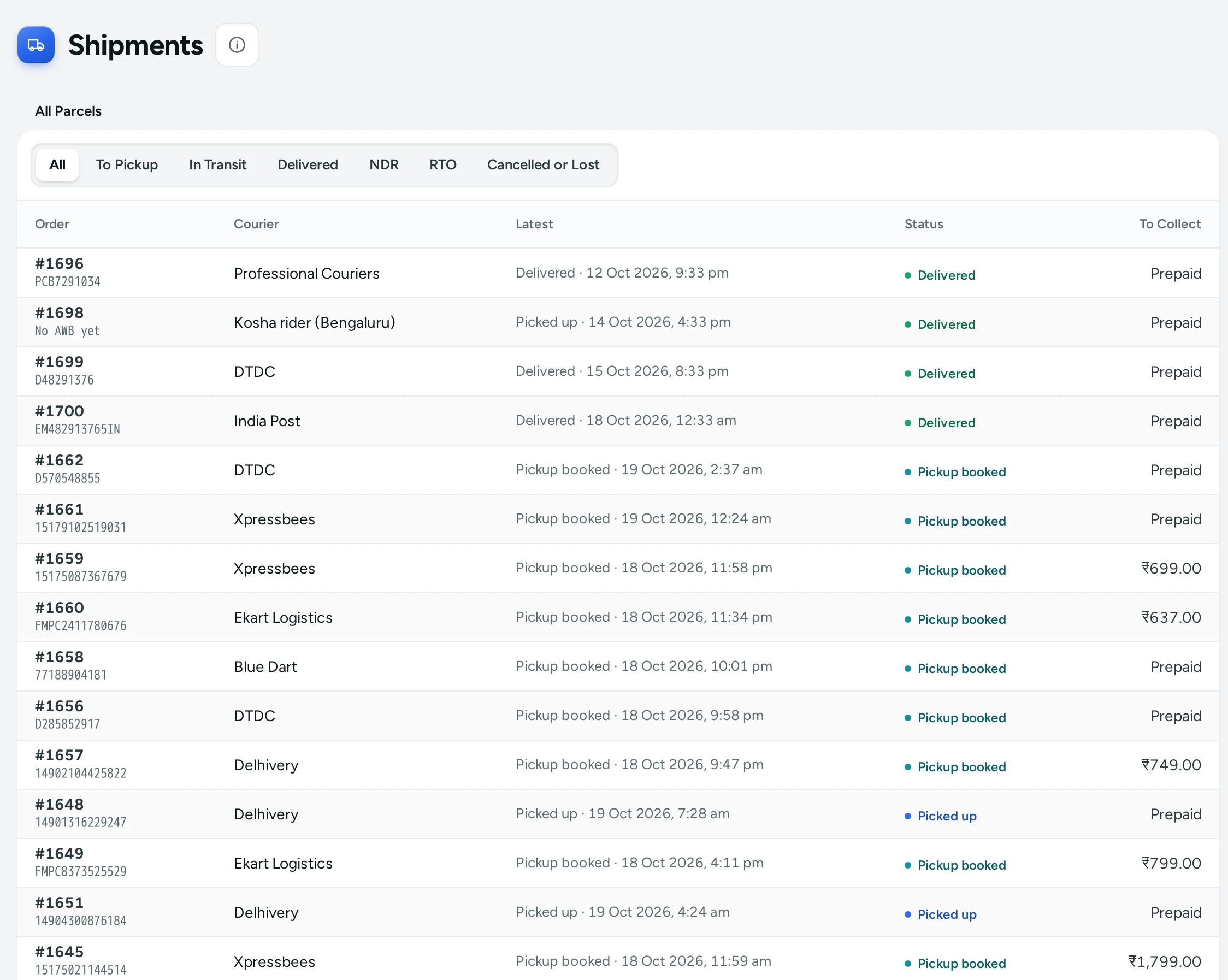
Tabs
| Tab | Parcel States in It |
|---|---|
| All | Every parcel |
| To Pickup | Created, Courier assigned, Label ready, Pickup booked: the label exists and the courier has not collected the parcel yet |
| In Transit | Picked up, In transit, Out for delivery |
| Delivered | Delivered |
| NDR | Opens the Failed Deliveries queue: parcels the courier could not deliver |
| RTO | Returning to you and Returned to you: parcels coming back undelivered |
Cancelled and lost parcels are listed under All.
The List
| Column | What It Shows |
|---|---|
| Order | The order number, with the AWB under it ("No AWB yet" before the courier gives one) |
| Courier | The courier that carries it, for example Delhivery or Xpressbees, else the courier account (Shiprocket or Shipway) |
| Latest | The last tracking update and when it came, or when the parcel was made |
| Status | The parcel's state as a coloured pill: blue on the way, green delivered, red failed or lost, amber coming back |
| To Collect | The cash the courier collects on delivery, or Prepaid |
Click a row to open the Shipment Page. The list shows 50 parcels at a time; LOAD MORE brings the next ones.
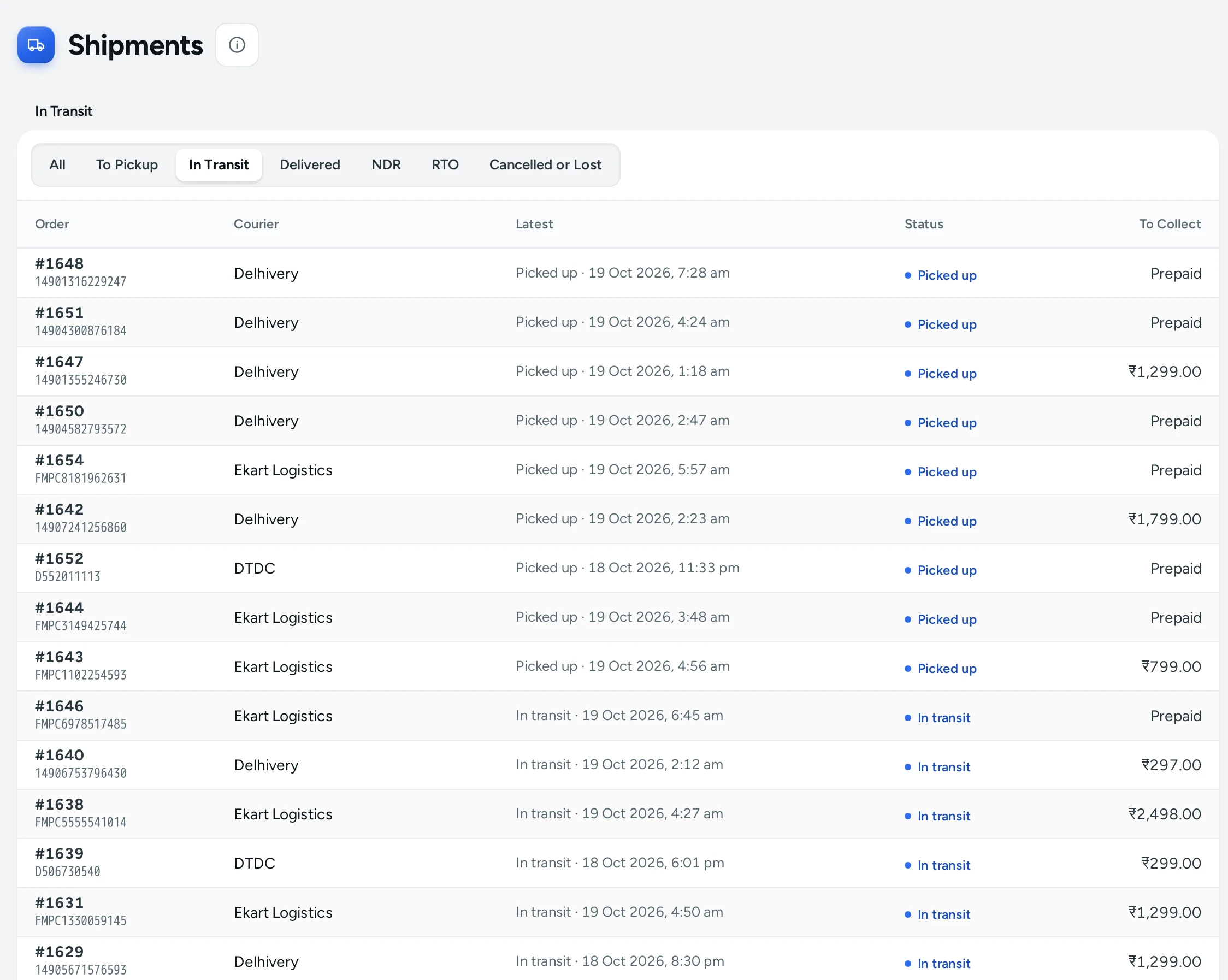
Parcel States
| State | Meaning |
|---|---|
| Created | Mercayo has made the parcel and is booking it |
| Courier assigned | A courier was chosen by your rule |
| Label ready | The AWB and label exist |
| Pickup booked | The courier is coming to collect it |
| Picked up | The courier has it. The order becomes Shipped |
| In transit | On its way |
| Out for delivery | With the delivery person today |
| Delivered | Delivered. The order becomes Delivered |
| Delivery failed | The courier could not deliver; it needs your answer in the NDR queue |
| Returning to you | The courier is bringing it back (RTO) |
| Returned to you | Back with you. A COD order becomes Returned to origin |
| Cancelled | Cancelled before pickup |
| Lost | The courier reports it lost |
A state Mercayo does not know is shown in the courier's own words.
How to Check What Is Waiting for Pickup
- Open Orders › Shipments and click To Pickup.
- Parcels with Label ready need a pickup; Pickup booked ones are expected to be collected.
- If a parcel has waited long, open it and check Pickup and any Last problem on its page.
How to Find a Parcel by AWB
Open the order (search by its number on the Orders list) and look at its Parcel card, or scan the Order column here, where each AWB is printed under its order number.
What Shoppers See
The shopper's order page shows the same tracking updates as a timeline, with the courier's name and AWB, so they can follow the parcel without calling you.
Good to Know
- Tracking updates are stored as the courier sends them; the screens never ask the courier while you wait, so they open quickly.
- The courier's updates move the order too: picked up marks it Shipped, delivered marks it Delivered, and a COD parcel returned to you marks it Returned to origin. Each such step appears in the order's timeline, for example "Picked up by Delhivery". A prepaid parcel that comes back does not change its order; refund it from the order (see Refunds).
- The list keeps itself fresh for about 15 seconds.
Questions
Why is my shipped order not on Shipments?
Only parcels made with GENERATE LABELS through your courier account are listed. An order you marked Ship by hand has no parcel here.
A parcel has been In transit for days. What can I do?
Open it to see the latest updates and the courier's words. Mercayo cannot hurry the courier; contact your courier account's support with the AWB.
Where are failed deliveries?
On the NDR tab, which opens Failed Deliveries (NDR). Answer them before the courier's deadline.
Can I cancel a parcel from here?
No. Cancel the booking in your courier account. A parcel cancelled there shows Cancelled here once the courier reports it.