An NDR (non-delivery report) is the courier telling you a parcel could not be delivered: the shopper was not home, the phone was switched off, the address was incomplete, or the shopper refused it. Each one is a parcel at risk. If nobody answers before the courier's deadline, the courier usually sends it back to you, and you pay for the trip both ways. Failed Deliveries puts every such case in one queue with the courier's reason, how many attempts were made and the deadline, and sends your answer to the courier at once. Open it from the NDR tab on Orders › Shipments; the Needs Your Attention card on Home and the bell also lead here. Anyone who can see orders can read the queue; answering needs the right to process orders (the owner, admins and Order Manager).
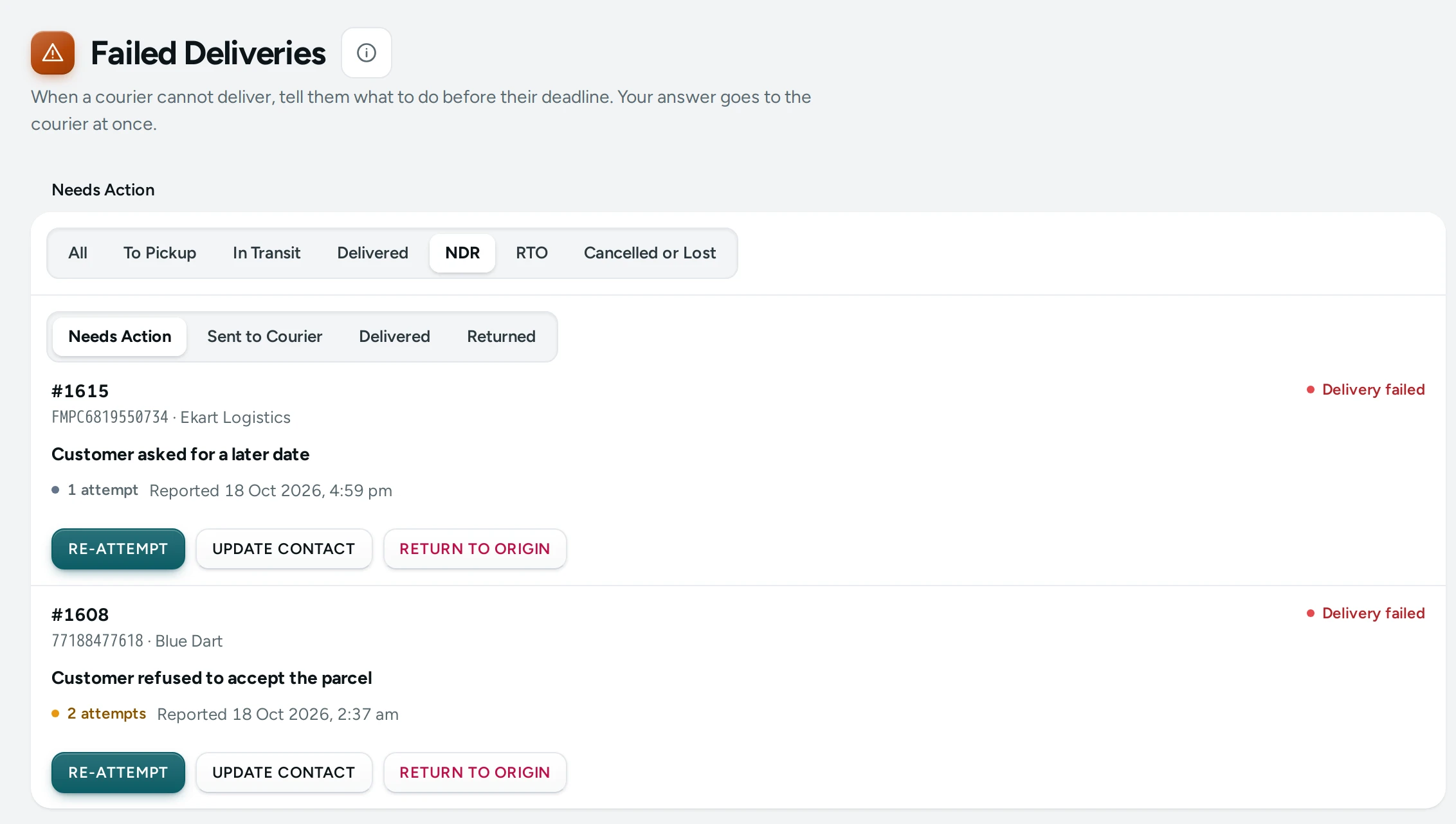
What You See
Under the title, the line "When a courier cannot deliver, tell them what to do before their deadline. Your answer goes to the courier at once." Then the parcel stage tabs (with NDR selected) and the case tabs:
| Tab | What It Holds |
|---|---|
| Needs Action | Cases waiting for your answer (the queue opens here) |
| Sent to Courier | You answered; the courier is acting on it |
| Delivered | The parcel was delivered after all |
| Returned | The parcel came back to you |
Each Case
- The order number (a link to the order), the AWB and the courier, and the parcel's state.
- The courier's reason in bold, for example "Customer not available" ("The courier gave no reason" when none came).
- 1 attempt or 3 attempts (amber from the second attempt).
- The deadline: Answer by with the date and time (amber when it is less than 12 hours away), or Deadline passed in red.
- Reported with when the courier reported it.
- What you already did, for example "You asked for another attempt on 21 Oct." with when, and a red "The courier refused: …" if the courier said no.
- On open cases, the three buttons: RE-ATTEMPT, UPDATE CONTACT and RETURN TO ORIGIN.
When nothing is waiting the queue says Nothing needs you: "Every failed delivery has an answer."
The Three Answers
| Button | Dialog | What Happens |
|---|---|---|
| RE-ATTEMPT | Deliver Again? "The courier tries order #1042 again. Pick a date if the shopper asked for one." with an optional Preferred Date ("Empty: the courier's next round.") | The courier tries to deliver again |
| UPDATE CONTACT | Update Phone or Address with Phone Number and Address ("The full address, with a landmark if it helps.") | The courier tries again with the new details. Give a phone, an address or both, then SEND TO COURIER |
| RETURN TO ORIGIN | Return This Parcel? "The courier stops trying and brings order #1042 back to you. This cannot be undone, and return shipping is usually charged." | The courier brings it back. When it arrives, a COD order becomes Returned to origin and its items go back into stock |
The phone must look like an Indian mobile number: 10 digits, or +91 and 10 digits ("That phone number does not look right" otherwise). An address must be at least 5 characters.
After you answer, the message says "Sent to the courier for order #1042." and the case moves to Sent to Courier. If the courier refuses ("The courier refused: …"), the case stays open with the courier's words, so you can try another answer. If the courier cannot be reached, "The courier could not be reached just now. The case is still open; try again in a minute." If someone already answered the case, "This failed delivery was already settled. The list is up to date."
How to Work the Queue Every Morning
- Open Orders › Shipments and click NDR.
- Start with the cases marked Deadline passed or with an amber Answer by.
- For each case, read the reason and phone the shopper on the number on the order.
- If they want it and give a time: RE-ATTEMPT with a Preferred Date.
- If the phone or address was wrong: UPDATE CONTACT with the right details.
- If they refuse or cannot be reached after a few tries: RETURN TO ORIGIN.
- Note what they said in the order's Timeline so the next person knows.
Good to Know
- The deadline is the courier's. Past it, the courier usually returns the parcel on its own.
- The queue is read fresh every time you open it.
- The orders list marks an order with a failed delivery with a red FAILED DELIVERY pill, and the On the Way number in its summary strip counts them.
- RETURN TO ORIGIN cannot be undone.
- With part payment for COD, the part paid online is kept to cover the return trip unless your store refunds it (Refund the Part Paid When a Parcel Is Refused in Settings › Checkout and COD, off by default).
Questions
What does NDR stand for?
Non-delivery report: the courier's notice that a delivery attempt failed.
What if I do nothing?
After the courier's deadline the courier usually starts returning the parcel to you, and you are charged for the return.
Can I change the address to another city?
You can send any address; the courier decides whether it can deliver there. If it cannot, its refusal comes back in its own words and the case stays open, so you can ask the shopper for another address or return the parcel.
Why are there no buttons on a case?
Either the case is no longer open (it is under Sent to Courier, Delivered or Returned), or your role cannot process orders.