URL Redirects sends a visitor who opens an old address to the right new one. If you moved from Shopify or WooCommerce, your old product and collection addresses are in Google, Instagram posts and WhatsApp forwards; without redirects they would all land on "page not found". "Send visitors from an old address to a new one, so old links and search results keep working. A redirect is used only where no page lives." Open it from Online Store › Menus, then URL Redirects (it sits under Menus in the side menu; on a phone: More, then URL Redirects).
Seeing and changing redirects needs the content right (content.edit). The owner, admins and the Marketer preset role have it. Without it: "Seeing and changing redirects needs the content right."
What You See
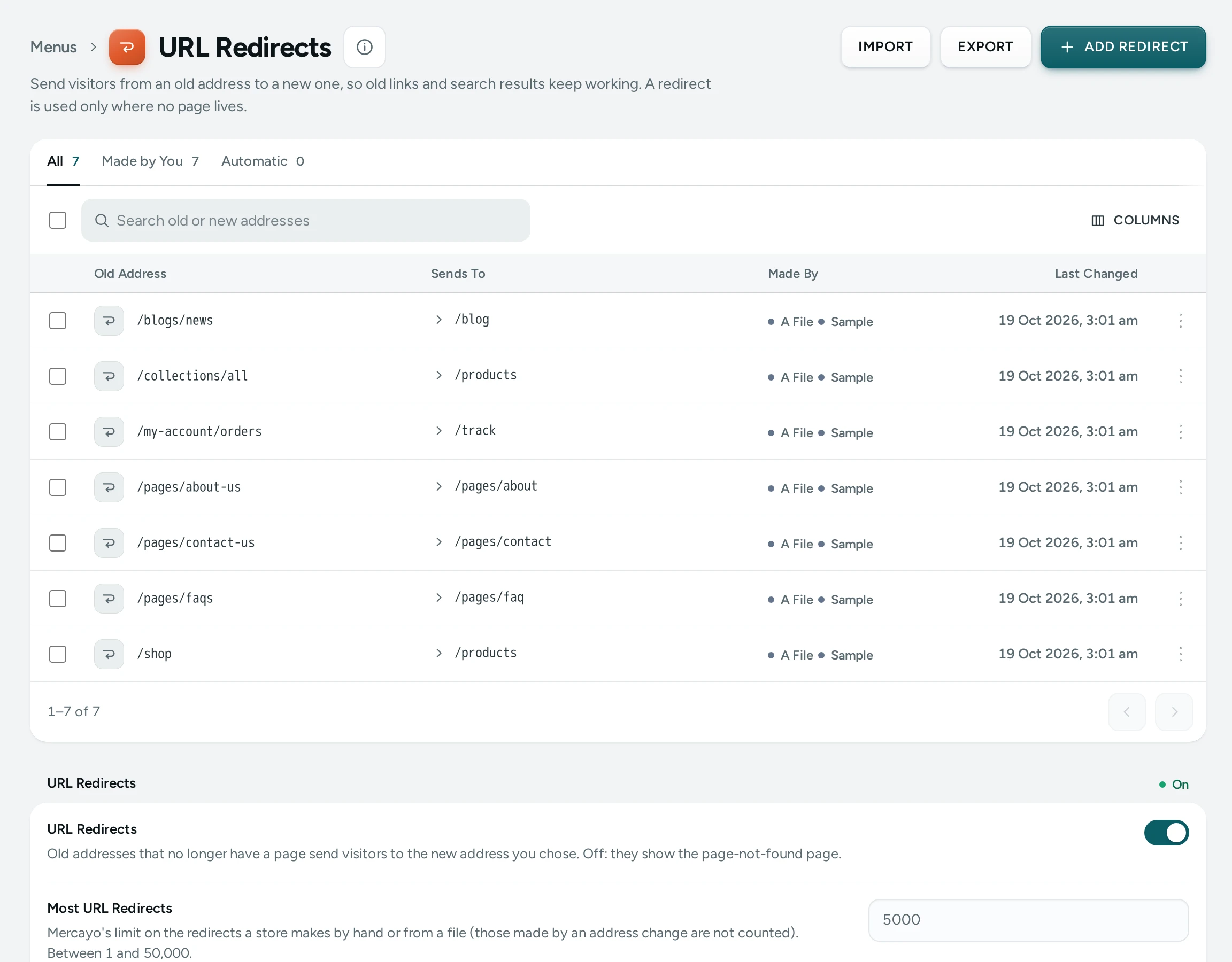
At the top: ADD REDIRECT, IMPORT and EXPORT (on a phone, IMPORT and EXPORT are in the ⋯ menu), and a link back to Menus.
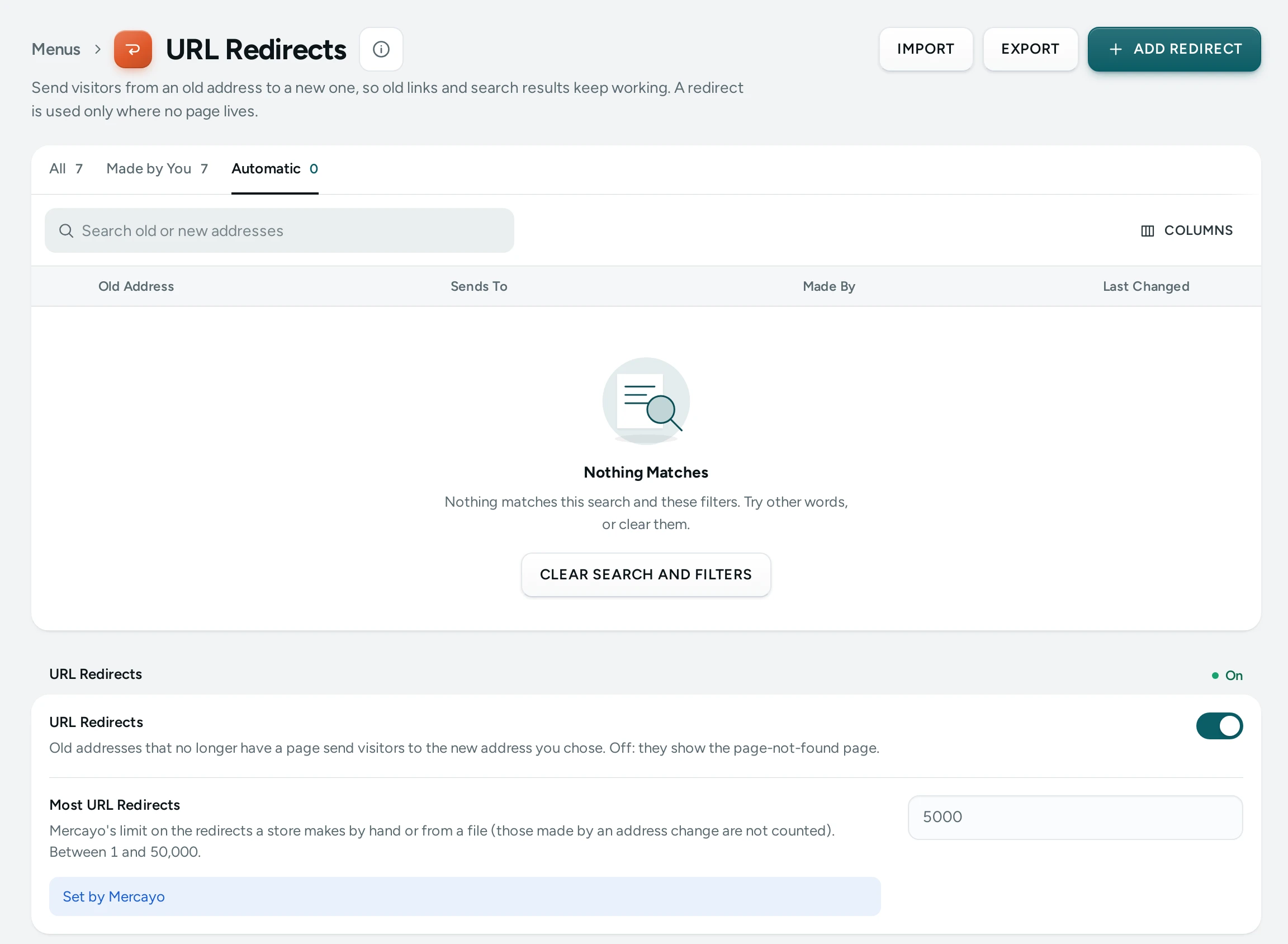
Tabs: All, Made by You (by hand or from a file) and Automatic (made by an address change). Search old or new addresses searches both columns. The list shows 50 redirects a page.
| Column | What It Shows |
|---|---|
| Old Address | The path visitors open, such as /products/red-saree |
| Sends To | Where they go, with Another Site for an https address elsewhere |
| Made By | You, A File, Page Address Change, Product Address Change, Collection Address Change or Category Address Change; Sample for demo rows |
| Last Changed | When it was made or last changed |
Each row's menu has Edit, Try the Old Address (opens it on your store in a new tab) and Delete. Tick several to delete them together. Redirects made by a collection's or category's address change cannot be edited or ticked: "Kept for you while the collection or category has this address. Change its address to change this."
The URL Redirects card at the foot holds the switch (for people who can see settings):
| Setting | What It Does | Default |
|---|---|---|
| URL Redirects | "Old addresses that no longer have a page send visitors to the new address you chose. Off: they show the page-not-found page." | On |
When it is off, the screen says Redirects Are Switched Off: "Old addresses show the page-not-found page until you switch redirects on below."
Adding or Editing a Redirect
ADD REDIRECT opens Add Redirect: "Visitors who open the old address go to the new one."
| Field | What It Does | Example |
|---|---|---|
| Old Address | "A path on your store, such as /shop/summer. A full address is cut to its path." Not the home page. | /old-page |
| New Address | "A path on your store, or a full address starting with https:// for another site." | /collections/summer |
Press SAVE. "Redirect added. It works at once."
The screen refuses a redirect that cannot work, and says why:
- "The old and the new address are the same."
- "This would send visitors round in a circle back to the old address."
- "This old address already has a redirect. Edit that one instead."
- "The old address must be a path on your store, such as /old-page (not the home page)."
- "The new address must be a path such as /pages/about, or a full address starting with https://."
Importing Redirects from a File
IMPORT opens Import Redirects: "A CSV file with two columns, the old address and the new one, as Shopify and most shops export it."
- Choose the File ("Up to 2,000 redirects and 1 MB."), or paste rows under Or Paste the Rows, starting with the header line
Redirect from,Redirect to. - Tick Replace a redirect that already exists for the same old address if the file should win over redirects you already have. Unticked, those rows are left as they are.
- Press CHECK FILE. Nothing is saved yet: the report lists each row as New, Replaced, Already There or Need a Fix (with the row number and the reason).
- Fix any rows in your file if you like, then press IMPORT 1,240. "Imported: 1,180 added, 60 updated."
A file over the limits is refused: "The file is larger than 1 MB. Split it into smaller files." or "A file can hold at most 2,000 redirects. Split it into smaller files."
EXPORT downloads every redirect as redirects-<your store>.csv.
Redirects Mercayo Makes for You
When you change the address of a content page, a product, a collection or a category, Mercayo keeps the old address working by itself: it adds a redirect from the old address to the new one (Page Address Change, Product Address Change, and so on). If you change it again, the redirects are kept short: the oldest address goes straight to the newest, never through a chain. These appear on the Automatic tab.
How to Fix a Broken Link from an Old Instagram Post
- Open the old link in your browser and copy the part after your domain, for example
/products/diwali-gift-hamper-2025. - Press ADD REDIRECT.
- Paste it into Old Address.
- Type the New Address, for example
/collections/diwali-gifts. - Press SAVE, then use Try the Old Address from the row's menu to check it.
How to Delete Redirects
- Tick them (or use a row's Delete).
- Press Delete. "Visitors to the old address then see the page-not-found page, unless a page lives there."
- Confirm with Delete.
What Shoppers See
Nothing, if all goes well: a shopper who opens an old address lands on the new page as if the link had always been right. A redirect is used only when the old address has no page of its own, so a live page is never hidden by a redirect. Search engines are told the move is permanent, so they update their results over time.
Mercayo Controls
- Mercayo can force the URL Redirects switch on or off for your store; it then shows as set by Mercayo.
- Mercayo sets the most redirects a store may make by hand or from files: 5,000 unless Mercayo changes it. Redirects made by address changes are not counted. At the limit: "Your store has its most redirects (5,000). Delete some to add more."
Good to Know
- Old addresses are stored in small letters, without a
?query,#fragmentor trailing slash. A new address may carry a query, for example/products?tag=sale. - A redirect works the moment it is saved.
- This screen is about addresses. To send a search word to a page (a shopper types "returns" and lands on your returns policy), use Search Redirects in Search settings.
Questions
Do I need a redirect when I rename a product's address?
No. Mercayo makes one for you when you change the address of a product, page, collection or category.
Can a redirect send visitors to another website?
Yes. Type a full address starting with https:// as the New Address. The list marks it Another Site.
My redirect does not work. Why?
Check that URL Redirects is on, and that no page lives at the old address: a live page always wins. Use Try the Old Address to test it.
Can I redirect my home page?
No. The old address cannot be the home page.
Can I edit a redirect that Mercayo made?
Redirects from a page's or product's address change can be edited or deleted like your own. Those from a collection's or category's address change are kept while that address stands; change its address to change them.