Every screen of the Mercayo admin works on a phone, in the phone's own browser, and it can be installed like an app. The layout changes to suit a small screen, so you can confirm a COD order, print a label from your shop's computer later, answer a review or change a price while you are out.
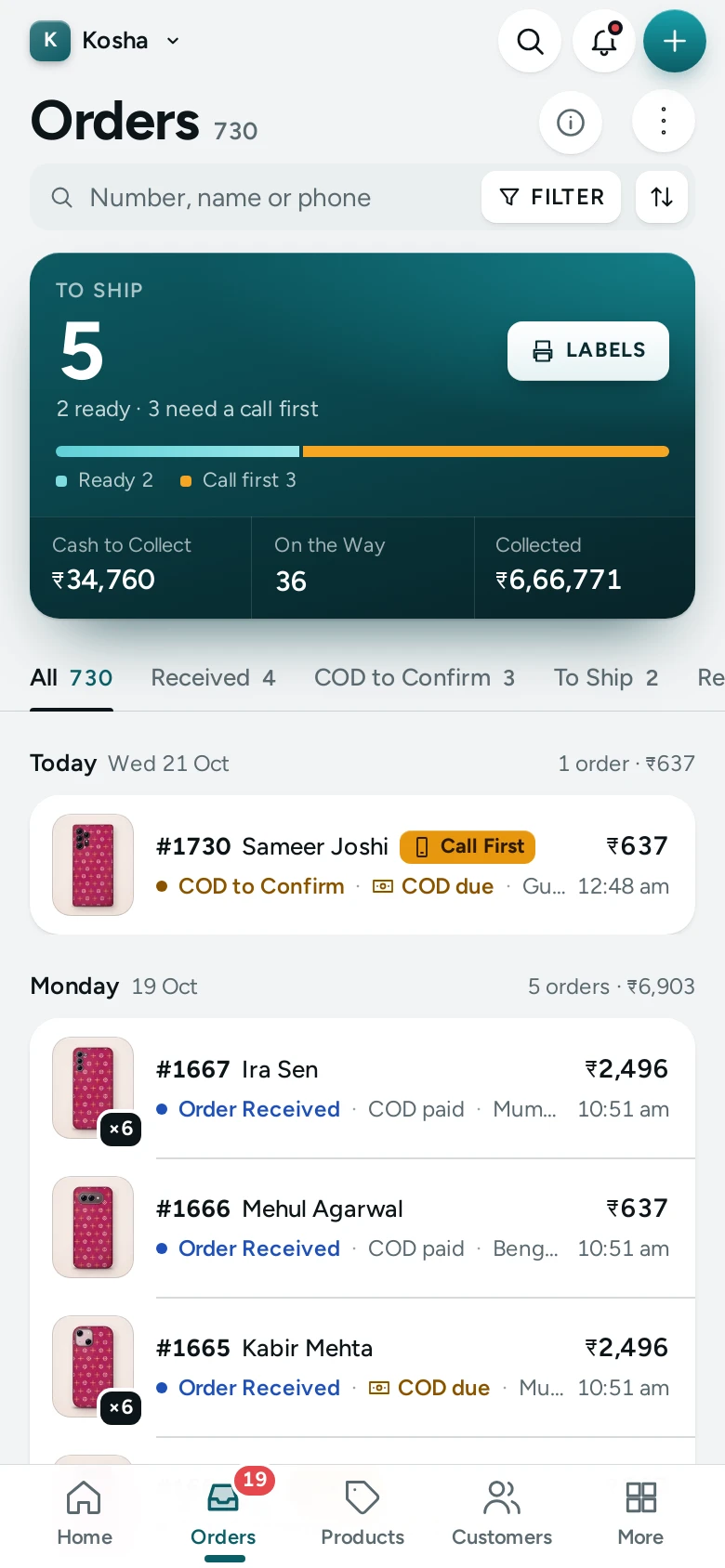
The Bottom Bar
On a phone the side menu becomes a bar at the bottom of the screen with the four places you open most, plus More:
- Home
- Orders
- Products
- Customers
- More: everything else
Which four appear depends on your role: someone who cannot see customers gets the next item they can open instead.
The More Sheet
More opens a sheet from the bottom with every other screen you can open, in the same groups as the computer's menu (Sell, Customers, Marketing, Online Store, Analytics, and Store with Wallet and Settings). Its foot shows your name and role, with Two-step sign-in, Help, Switch Store, Change Password and Sign out. Tap its close button to close it.
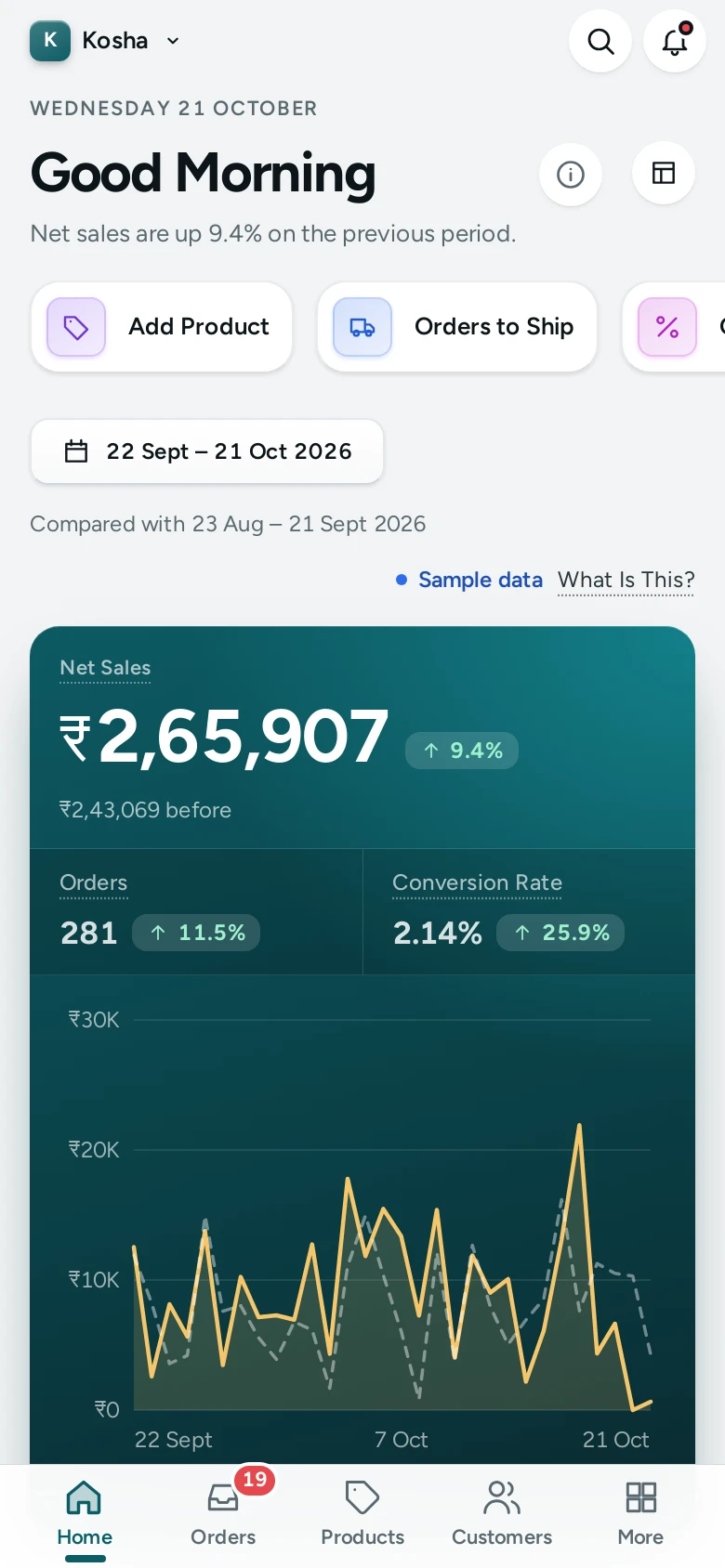
Search and the Bell
The search button and the bell stay at the top. Search finds orders by number or phone, products by name or SKU, customers by name, phone or email, and opens any screen. See Search, the Bell and Shortcuts.
How Screens Adapt
- Lists (orders, products, customers) show each row as a compact card with the most important facts; filters and tabs scroll sideways.
- Page actions: the main button stays visible; secondary buttons move into the page's MORE ACTIONS menu (the three-dot button).
- Forms and settings stack into one column, with a save bar at the bottom of the screen when you have unsaved changes.
- Tap targets are at least 44 pixels tall, so buttons are easy to hit with a thumb.
- Side sheets (for example a URL redirect) open full width from the bottom of the screen.
- The Theme editor and the page editor work on a phone, but are easiest on a computer or tablet, where the preview sits beside the controls.
Good to Know
- Your sign-in lasts on the phone like on a computer; signing out on one device does not sign you out on others.
- The light or dark theme you pick is remembered in each browser.
- Printing packing slips and labels works from a phone's browser if your phone can print.
Questions
Is there a Mercayo app for the admin?
The admin runs in your phone's browser and can be installed like an app: where the browser allows it, a note offers "Open your store from the home screen, with alerts for new orders." with INSTALL, and Settings › Admin App and Alerts has INSTALL too. The installed admin can alert you to new orders, failed deliveries and returns even when it is closed. See Install the Admin and Get Alerts.
Why don't I see Customers in my bottom bar?
Your role does not include customers. The bar shows the first four places your role allows.
Can I add products with photos from my phone?
Yes. The product editor's photo card lets you pick photos from your phone. See Product Photos and Videos.