The admin's Help page is where to reach Mercayo's team, and the shortest way to the right article in this Help Centre. Open it from your account menu (Help), the phone's More sheet, or by typing "help" in search (Ctrl K). Every member of your team can open it.
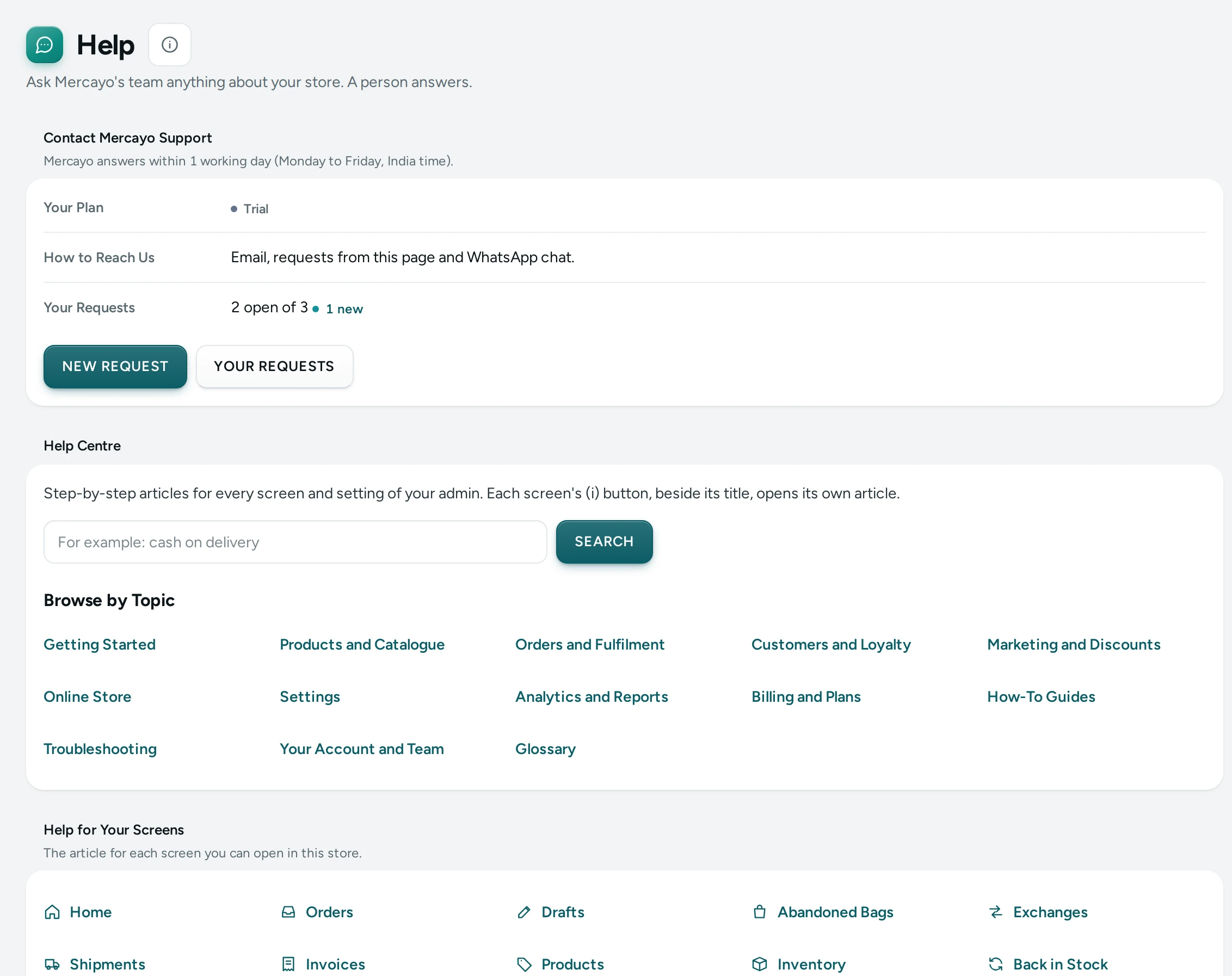
Contact Mercayo Support
The first card, Contact Mercayo Support, shows your support level, which comes with your plan: how many working days (Monday to Friday, India time) we take at most to answer, how you can reach us, and on Scale your named contact at Mercayo.
| Plan | First answer within | How |
|---|---|---|
| Trial | 1 working day | Requests, email and WhatsApp chat |
| Starter | 2 working days | Requests and email |
| Growth | 1 working day | Requests, email and WhatsApp chat |
| Scale | 1 working day | Priority, chat and a named contact |
NEW REQUEST opens a short form: what it is about, a subject, your message, and whether Mercayo's team may open your admin to look. Your store and its plan go with the request by themselves, so we know where to look. You get an email with the request's number and when we will answer at the latest.
YOUR REQUESTS lists them. Each shows With Mercayo (we are on it), Answered (your turn) or Solved, and New Answer until you open it. Open one to read the conversation, answer, or MARK SOLVED. Writing again on a solved request opens it again. Our answers also arrive by email; you can reply to that email.
Everyone on your team can write to us and sees their own requests; the owner and admins see all of the store's.
Help Centre
The Help Centre card searches this Help Centre and lists its topics. Help for Your Screens lists every screen you can open in this store, each linked to its article. Each screen also has its own Help for This Screen button (an i beside its title), which opens the article in a new tab.
Contact Us
"Ask Mercayo's team anything about your store. A person answers."
- Email: Mercayo's support address, with WRITE TO US, which opens your email with your store's address as the subject.
- WhatsApp: Mercayo's support number with OPEN WHATSAPP, when Mercayo has one set up; until then it says "Not set up yet".
- Hours: when support answers, once Mercayo has published them.
Include your store's address (its handle, for example kosha) so the team can find it quickly; the page reminds you. It also helps to say what you were doing, what you expected, and what you saw (a screenshot of the message is ideal).
Let Us Look at Your Store
"To fix something with you, our team can open your admin through a single-use link that lasts at most 8 hours. Ask us for it when you write. You see every session and what was changed, and you can end one at any time."
SUPPORT ACCESS opens Support Access, where you see and end sessions. People who cannot see the activity log see "The store's owner or an admin can see and end support sessions." instead.
Plan and Invoices
For people who can see billing: "Your plan, payments and GST invoices are in Settings → Billing." with OPEN BILLING. See Plans and Billing.
Questions
How fast does support answer?
Within your plan's working days (see the table above), counted Monday to Friday in India time. The request's page and our email say the exact time.
What is "Report This Store" at the foot of my storefront?
Every store on Mercayo has it, so shoppers can tell Mercayo about a store they think is fake or a scam. Reports come to Mercayo, not to you. If Mercayo reviews a store, the store's Support Requests page says so; until the review is done it cannot connect an own domain or switch on live payments, and everything else keeps working. Write to us and we will help.
Can Mercayo's team see my store without asking?
Mercayo's team opens your admin only through a single-use support link that lasts at most 8 hours. By default, Support Access shows you every session and what was changed in it. See Support Access.
Is there a phone number to call?
Support is by email, and by WhatsApp where it is set up.