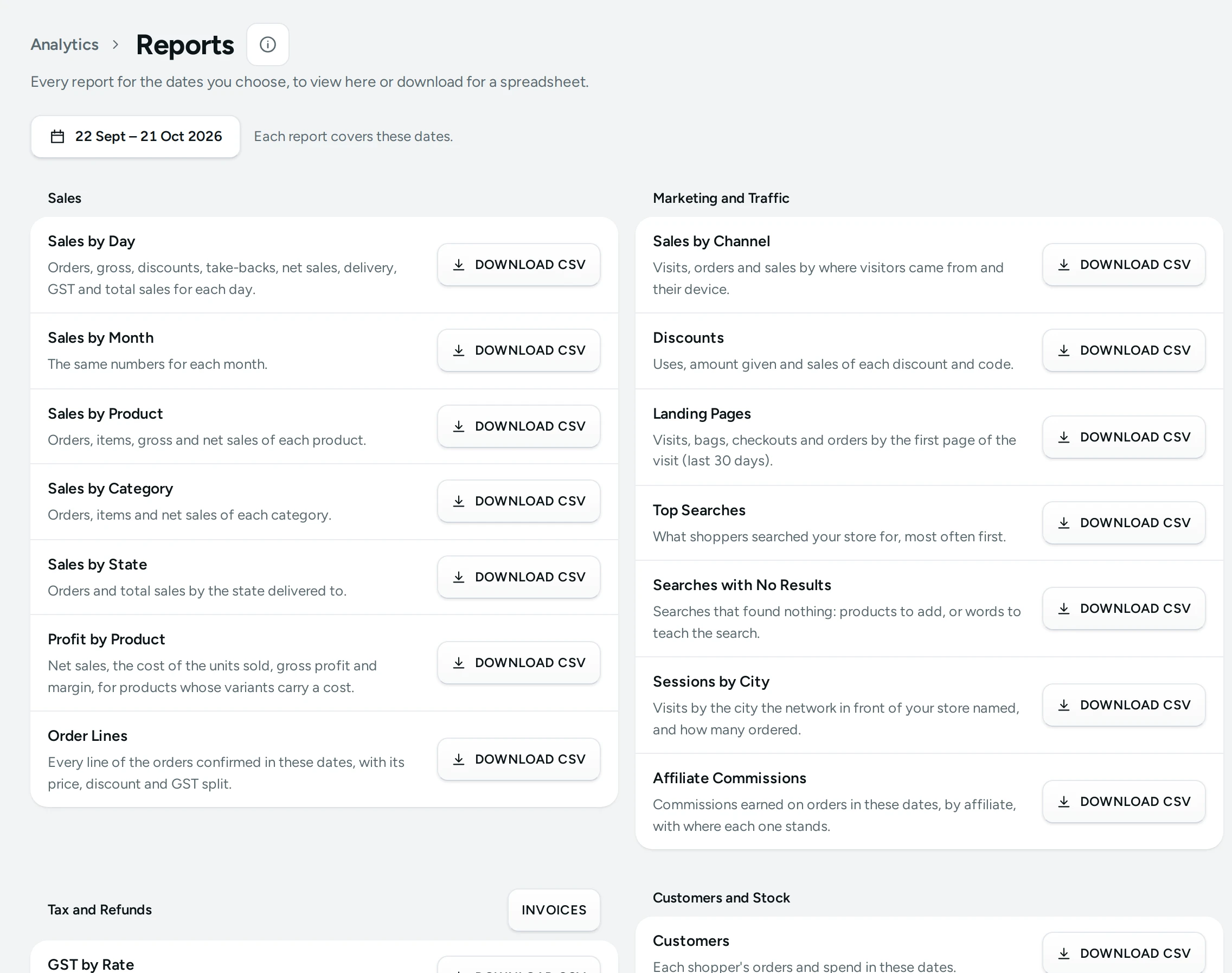
Reports is the library of ready tables behind Analytics: "Every report for the dates you choose, to view here or download for a spreadsheet." Use it to send your CA the month's GST by rate, check which products sold best, or count stock. Open Analytics › Reports (or REPORTS on Analytics). It needs the reports right.
Choosing Dates
The Dates at the top apply to every report ("Each report covers these dates."), and open on your Analytics Opens On setting (the last 30 days by default). The numbers match Analytics for the same dates.
The Reports
| Group | Report | What It Holds |
|---|---|---|
| Sales | Sales by Day | Orders, gross, discounts, take-backs, net sales, delivery, GST and total sales for each day |
| Sales by Month | The same numbers for each month | |
| Sales by Product | Orders, items, gross and net sales of each product | |
| Sales by Category | Orders, items and net sales of each category | |
| Sales by State | Orders and total sales by the state delivered to | |
| Profit by Product | Net sales, the cost of the units sold, gross profit and margin, for products whose variants carry a cost | |
| Marketing and Traffic | Sales by Channel | Visits, orders and sales by where visitors came from and their device |
| Landing Pages | Visits, bags, checkouts and orders by the first page of the visit (last 30 days) | |
| Discounts | Uses, amount given and sales of each discount and code | |
| Top Searches | What shoppers searched your store for, most often first | |
| Searches with No Results | Searches that found nothing: products to add, or words to teach the search | |
| Customers and Stock | Customers | Each shopper's orders and spend in these dates |
| Stock | Every size and style with stock on hand, held, price, cost and items sold | |
| Tax and Refunds | GST by Rate | Taxable value, CGST, SGST and IGST by rate and supply |
| HSN Summary | Items, taxable value and GST by HSN code and rate | |
| Refunds | Every refund with its order, method and reason | |
| B2B Invoices | Invoices to registered businesses with their GSTINs, per rate, as GSTR-1's b2b sheet | |
| Credit Notes | Every credit note issued, the invoice it reverses and why |
Viewing and Downloading
Open a report to see it: "The first … of … rows. Download the file for all of them." with "… rows for" the dates. DOWNLOAD CSV saves it for Excel or Google Sheets. A report stops at 10,000 rows: "Choose fewer dates for the rest."
The Customers report holds names and contact details only for people with the right to export customer data; for others it is marked WITHOUT CONTACTS and comes without them.
"Need every order with its details?" Export from the orders list downloads orders with every line and detail. See Orders List.
For Your CA
For a month's GST work, export the month from Orders › Invoices (EXPORT FOR GSTR-1, see Invoices and the GSTR-1 Export); GST by Rate, HSN Summary, B2B Invoices and Credit Notes here check the same numbers. The INVOICES button opens that screen. General guidance, not tax advice: your CA decides what your return needs.
Questions
Why does Landing Pages show only 30 days?
Visit details are kept 30 days; after that only daily totals remain.
Do reports include sample orders?
Yes, while your store has sample data. Delete it from the setup guide.
Can I schedule a report by email?
Not today: open Reports and download when you need one.